- What is a Progressive Web App for SaaS?
- Why 2026 is the Right Year to Build a SaaS PWA
- The 5 Real Benefits of a SaaS PWA
- PWA vs Native App: When to Choose Which
- PWA Development Tools for SaaS
- iOS Safari and PWAs in 2026: What Actually Works
- The 3 Biggest PWA Mistakes SaaS Teams Make
- How to Build a PWA for Your SaaS: The 5-Phase Roadmap
- Frequently Asked Questions
- Build a Product Your Users Actually Open


.svg)

%201%201.svg)
Progressive Web Apps for SaaS: Benefits, Tools & Implementation Guide.
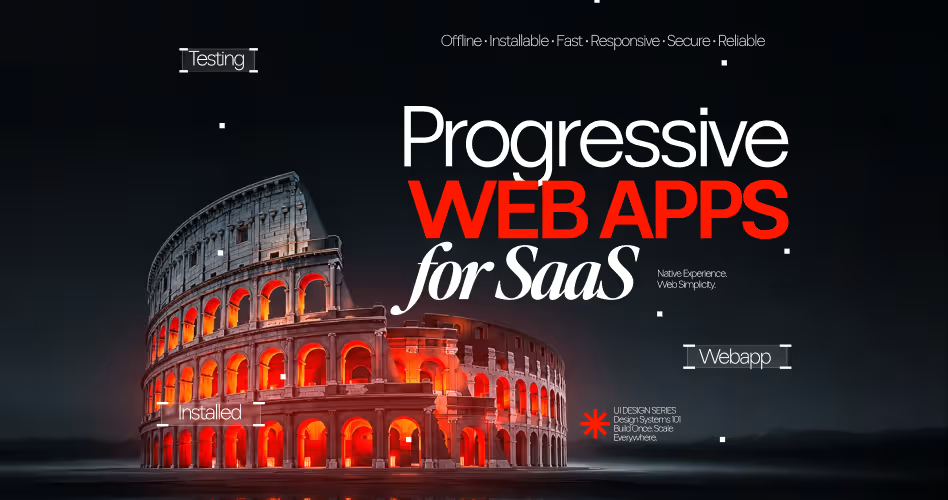

Your SaaS product works beautifully in Chrome on a MacBook. The moment a user opens it on their phone standing in line, between meetings, on a shaky airport Wi-Fi it turns into a slow, unjoinable mess. So you consider building a native mobile app. Then someone quotes you $280K for iOS and Android development, plus $40K a year in maintenance. And you have to get approved by Apple first.
That's the trap most SaaS founders hit around year two. And progressive web apps are the exit.
A PWA lets your SaaS product install directly on any device, work offline, send push notifications, and load in under a second without a separate native app. SaaS companies that have made the switch report 40–60% higher mobile engagement and a 35% lift in user retention, at roughly one-third the development cost.
This guide covers what a SaaS PWA actually is, when it makes sense to build one, what it gives you, and what most teams get wrong.
What is a Progressive Web App for SaaS?
A progressive web app is a web application that uses modern browser APIs to behave like a native app. Users can install it to their home screen, open it without a browser bar, get push notifications, and use core features when offline.
Three technologies make this work:
- Service Workers - background scripts that cache content and enable offline functionality and push notifications
- Web App Manifest - a JSON file that tells browsers how to install the app: name, icon, launch screen, color scheme
- HTTPS - required for all PWA features; service workers won't register on insecure connections
Why 2026 is the Right Year to Build a SaaS PWA
For years, the knock on PWAs was iOS support. Apple dragged its feet. Safari didn't support push notifications, and installing a PWA on iPhone was awkward at best.
That's changed. Since iOS 16.4 (released mid-2023 and now fully rolled out across 94% of active iPhones), Safari supports Web Push for installed PWAs.
Since iOS 17, the installation prompt is explicit and native-looking no more hunting through the Share menu. As of April 2026, the gap between Chrome's PWA capabilities and Safari's is narrower than it has ever been.
This matters because ~58% of global SaaS web traffic comes from mobile devices. If you've been waiting for the iOS situation to stabilize before investing in a PWA, 2026 is the year that investment starts paying off on both platforms.
The 5 Real Benefits of a SaaS PWA
1. Users Install in 3 Seconds - Not 3 Minutes
The average native app download takes 2–4 minutes: find the app store, search, download, wait for installation, open, sign in again. Users bounce at every one of those steps.
Installing a PWA takes 2–3 seconds. The browser displays a native-looking install prompt on repeat visits. One tap, and the app is on the home screen. No app store, no approval process, no re-authentication.
In practice, this friction difference converts to 35–50% higher adoption rates on mobile. When we've worked with B2B SaaS teams on PWA launches, the install rate in the first 30 days consistently outperforms what those same products saw with their native app launches because there's nothing stopping the user from saying yes.
2. Offline Mode That Actually Works
15–20% of SaaS usage happens on intermittent connections. That's not just developing markets it's your user on the subway, your customer in a hotel with a dead Wi-Fi password, your trial user checking a dashboard during a flight.
Service workers cache the app shell and the most recent data. When connection drops, the user still sees their last-loaded view. Actions they take while offline (form submissions, status updates, notes) queue via background sync APIs and push automatically when connectivity returns.
This isn't "offline mode" in the brochure sense. It's a real architectural decision. The SaaS products that do this well design their offline states intentionally what data should be cached, how long, what actions are queukable. The ones that do it poorly just serve a blank screen with a sad Wi-Fi icon.
Here's what we recommend to every founder before implementing offline functionality: decide first which 20% of features 80% of users rely on daily. Cache those aggressively. Let the rest degrade gracefully with a clear "reconnecting…" state.
3. Push Notifications Without the App
This is the benefit most SaaS founders underestimate until they see the numbers.
Push notification click-through rates run 5–8x higher than email. Not because push is magic because it's immediate. An email sits in a inbox and competes with 40 others. A push notification appears on the lock screen within seconds of the triggering event.
For SaaS specifically: trial expirations, task assignments, usage milestones, pipeline updates these are exactly the events where timing matters. SaaS companies that implement targeted push campaigns see 25–40% increases in daily active users within 90 days.
The important word there is targeted. Broad, un-triggered push notifications annoy users into disabling them. The play that works is event-based: notify a user when something in their product specifically changed, not when you have a new blog post.
4. One Codebase. Three Platforms.
Building a native iOS app, a native Android app, and a web app means three separate codebases, three teams (or one team stretched thin), and three different update pipelines. When a bug appears, you fix it three times. When you ship a feature, you ship it three times.
A PWA runs on iOS, Android, Windows, macOS, and Linux from a single codebase. Deploy once. The update goes live everywhere immediately no app store review cycle, no waiting 48–72 hours for Apple approval.
The cost difference is not marginal. A native iOS + Android + web build typically runs $280–350K in development and $40–60K per year in maintenance. A PWA equivalent: roughly $80–120K to build, $12–20K to maintain annually. For an early-stage SaaS founder, that delta pays for 12–18 months of additional runway.
5. Load Times That Change Conversion
The cached app shell in a PWA loads in under 1 second on repeat visits, regardless of network speed. For first-time users, PWAs average 2–3x faster load times than standard mobile websites.
That speed has a direct revenue line. Google's own data shows a 1-second delay in mobile load time reduces conversions by up to 20%. For SaaS products with trial flows, dashboard access, or any onboarding step on mobile, those seconds are the difference between activation and churn.
Stripe, Vercel, and Linear have all invested heavily in making their web products feel native-speed. That's not a coincidence it's because their users are on deadline and have no patience for loading spinners.
PWA vs. Native App: When to Choose Which
Build a PWA if your SaaS is web-first, B2B, or if your users primarily need access to data, forms, and dashboards. Build a native app if your product's core value depends on device hardware camera processing, GPS-based features, Bluetooth integrations, or AR.
For the vast majority of B2B SaaS products project management, analytics, CRM, workflow tools the PWA path is faster, cheaper, and delivers 90% of what a native app would.
This is the question most guides avoid giving a straight answer to. Here it is.
PWA Development Tools for SaaS
The right toolchain turns a PWA from a stripped-down website into a real app replacement. Three tools cover most of the technical lift: Workbox, PWABuilder, and Vite.
Workbox, built by Google, handles service worker logic so your team does not write caching rules by hand. It manages offline caching strategies, background sync queuing, and update lifecycles out of the box.
PWABuilder, built by Microsoft, converts an existing site into a PWA. It generates the service worker, the web app manifest, and app-store-ready packages for Android and Windows in one pass.
Vite has replaced older bundlers like Create React App, which the React team has now deprecated. Paired with a PWA plugin, Vite gives fast builds and instant hot reload during development.
Framework choice matters too:
- React or Next.js — the most common pairing for SaaS dashboards, with the largest plugin ecosystem
- Angular — ships first-party PWA support through the @angular/pwa schematic; one CLI command adds a service worker and manifest
- Vue with Nuxt 3 — adds server-side rendering and static generation on top of Vue's PWA plugin
- Svelte — compiles at build time, producing smaller bundles and faster load on lower-end devices
Run Lighthouse (built into Chrome DevTools) after every deploy. It scores installability, offline support, and performance, and flags exactly which PWA criteria are missing.
A PWA is only as strong as the tools enforcing its standards, not the framework badge on the homepage.
Tip: Run Lighthouse in CI, not just locally. A PWA that passes on your machine and fails installability on a teammate's build usually means a manifest or service worker file did not ship.
Tools solve the build. iOS Safari solves a different problem entirely, and it is the one most SaaS teams get wrong.
iOS Safari and PWAs in 2026: What Actually Works
iOS Safari supports far less of the PWA spec than Chrome or Edge, and that gap shapes every SaaS PWA decision for a product with iPhone users. Three limitations matter most: push notifications, background sync, and storage.
Push notifications arrived in iOS 16.4, but only for PWAs a user has added to their Home Screen, not for a page open in a regular Safari tab. Delivery on iOS runs 70-85%, against 90-95% on Android, because Safari manages background processes more strictly and can drop a subscription after prolonged inactivity.
Background sync does not exist on iOS. Safari supports neither the Background Sync API nor Periodic Background Sync nor Background Fetch, and Apple has given no public timeline to add them. A user's PWA shows whatever was cached the last time they opened it. Nothing updates silently in the background the way it does on Android.
Storage is capped tightly. iOS limits script-writable storage to roughly 50MB and enforces a 7-day cap on that storage. If someone does not open your PWA for a few weeks, iOS can clear it automatically, and the user starts fresh.
Apple has made real progress: Declarative Web Push landed in Safari 18.4, and iOS 26 made web apps launch in their own window by default instead of inside Safari's interface. Neither change touches background sync, which stays the biggest functional gap for SaaS products with real-time or offline-heavy workflows.
For a SaaS team, the fix is not fighting iOS. It is designing around it: prompt the install explicitly instead of waiting for a banner Safari does not show, request notification permission only after a real user action, and build your offline cache around the data someone is most likely to need without a live connection.
Assume Safari's limits first, then test on Chrome, because Safari's ceiling is what your entire PWA experience has to work within.
The 3 Biggest PWA Mistakes SaaS Teams Make
Mistake 1: Skipping the offline design phase. Teams implement service workers, cache the app shell, and call it done. Then users go offline and get a confusing half-loaded state. Offline isn't a technical feature, it's a UX feature. Design the offline state before writing the service worker code.
Mistake 2: Sending push notifications like email newsletters. The opt-in rate for push notifications is fragile. One irrelevant notification and a user blocks them permanently. Build notification logic around meaningful events: a task assigned to the user, a deal that moves stages, a trial that expires in 24 hours. Never push generic product updates.
Mistake 3: Not prompting installation. The browser's default install prompt is easy to miss. SaaS products with the highest PWA adoption rates use custom in-app install prompts a well-placed banner after the user has had a successful session, not on first visit. The right trigger is after the user has reached an activation milestone. At that point, they already see value. They'll install.
How to Build a PWA for Your SaaS: The 5-Phase Roadmap
Getting a PWA right is not a single sprint. It's an architectural decision that compounds over time.
Phase 1 - Baseline (Weeks 1–3): HTTPS everywhere, a web app manifest with correct icons and splash screens, and a basic service worker that caches the app shell. Run Google Lighthouse to verify PWA compliance. Target a score above 90.
Phase 2 - Offline Functionality (Weeks 4–6): Define which routes and data sets to cache. Implement IndexedDB for offline data storage. Build background sync for pending user actions. Design the offline UI states — what users see when they lose connection and when it returns.
Phase 3 - Push Notifications (Weeks 7–9): Integrate the Push API with a service like Firebase Cloud Messaging or OneSignal. Build the permission request flow — trigger it after activation, not on first visit. Define the 3–5 event types that will trigger notifications. Build opt-out granularity so users can choose which events they hear about.
Phase 4 - Performance Optimization (Week 10): Implement code splitting, lazy loading, and route-based prefetching. Optimize all images to WebP. Target a Lighthouse Performance score above 90 and a Largest Contentful Paint under 2.5 seconds.
Phase 5 - Analytics and Iteration (Ongoing): Track install rates, push opt-in rates, and offline session rates separately from your main analytics. These are PWA-specific signals that tell you whether the investment is paying off.
Frequently Asked Questions
How do I send push notifications to iOS users on a PWA?
Add the PWA to the Home Screen first. Safari only allows push for installed apps, not Safari tabs. Request permission after a real user action, not on page load. Expect 70-85% delivery versus 90-95% on Android, since Safari manages background processes more strictly.
Does iOS Safari support the Background Sync API?
No. Safari supports neither Background Sync, Periodic Background Sync, nor Background Fetch, and Apple has not announced a timeline. Your PWA cannot silently update content in the background on iPhone. Design your offline cache assuming data is only as fresh as the last time someone opened the app.
What are Chrome's install criteria for a PWA? Does it need a service worker?
Yes. Chrome requires a registered service worker, a valid web app manifest with icons and a name, and HTTPS before it shows an install prompt. Missing any one of these blocks installability, which is why running Lighthouse after every deploy catches gaps before users do.
Does iOS Safari support the Web Share Target API?
No, Safari has not implemented the Web Share Target API, so a PWA cannot register as a share destination on iOS the way it can on Android. iPhone users can still share content out of your PWA using the standard Web Share API, just not receive shared content into it.
What are the best PWA install practices in 2026?
rompt installation after a user completes a meaningful action, like finishing a task or hitting a usage limit, not on their first visit. Explain the benefit in one line before the prompt appears. On iOS, show manual "Add to Home Screen" instructions, since Safari does not display an automatic install banner.
What are the SEO implications of using a PWA for my SaaS product?
A PWA does not hurt SEO by itself; Google crawls and indexes it like any responsive site, provided content renders without JavaScript execution issues. The real risk is treating the PWA shell as a single page: give each key feature or plan its own crawlable, indexable URL so Google has something to rank.
Can a PWA work on mobile without installing an app?
Yes, that is the core of a PWA. It runs in the browser exactly like any website, with no install step required. Installing it adds a home screen icon, offline caching, and push notifications, but every core feature works in a normal browser tab first.
Build a Product Your Users Actually Open
The SaaS products that win on mobile in 2026 are not the ones with the most features. They're the ones users actually open because they installed them, because they load fast, because a push notification brought them back at exactly the right moment.
PWAs close the gap between your web product and a native experience without the cost, timeline, or platform dependency of native app development.
If you're building a SaaS product and mobile engagement is underperforming, the problem is almost never the core product, it's the delivery layer. Orbix Studio helps SaaS founders redesign that layer: PWA architecture, mobile UX, and product experiences that drive activation from the first session.






.svg)
.svg)


.svg)







.avif)



.svg)

