8 Best Figma Alternatives in 2026 (Free and Paid Tools Compared)
- Figma isn't the only option for UI/UX design. For those seeking alternatives to Figma, several tools offer different approaches to interface design, prototyping, and collaboration.
- Penpot is a strong free Figma alternative for teams that want open source Figma alternative tools, reusable components, and real-time collaboration.
- Sketch remains a solid choice for Mac-based designers evaluating Figma vs Sketch who need professional interface design and organized design systems.
- Framer is better suited to website design and publishing (a key point in Figma vs Framer debates), while UXPin and Axure RP focus on advanced prototyping.
- Lunacy offers a free desktop design experience across Windows, macOS, and Linux, making it a great Figma alternative offline and Figma alternative for Linux.
- AI-powered tools like Google Stitch (a notable Google Figma alternative) help designers generate interface concepts faster as an AI native Figma alternative.
- The right choice depends on your design requirements, team collaboration needs, budget, and whether you want free UI design tools or premium software.
Choosing a UI/UX design tool is not just about creating screens. For UI/UX and product design agencies like Orbix Studio, it affects how you build design systems, collaborate with developers, test interactions, and turn ideas into working products.
While Figma has become a popular choice for these workflows, many designers are exploring Figma competitors. Some designers need more advanced prototyping features, while others prefer self hosted Figma alternative platforms, desktop applications, or tools that can turn designs directly into websites.
The good news is that there are many free alternatives to Figma and premium design tools that offer different ways to approach these challenges. Some provide a complete interface design environment, while others focus on specific parts of the product design process.
In this guide, we'll explore the 8 best Figma alternatives in 2026, comparing their features, strengths, limitations, and pricing to help you find the right tool for your design workflow.
Figma Alternatives Comparison Table
Each Figma alternative offers a different set of capabilities, pricing options, and supported platforms. Some provide a Figma alternative free of charge, while others require a subscription for advanced prototyping, collaboration, or publishing features.
The following comparison looks at all 8 tools side by side, including their free options and starting prices.
Note: Prices are in USD. Paid prices reflect starting rates; billing periods and seat requirements vary. UXPin and Framer prices shown with annual billing. Lunacy's paid options are optional subscriptions for cloud storage, teams, and graphics rather than mandatory software licenses.
What to Look for in a Figma Alternative?
Not every design tool offers the same capabilities. Before choosing from the top Figma competitors, consider how well it supports your design process and what your team needs to deliver projects efficiently. Here are the key factors to evaluate:
- Design Capabilities: Look at the tools available for creating and editing user interfaces. Check whether the platform supports vector editing, reusable components, responsive layouts, and shared design systems. Consider comparisons like Figma vs Sketch or Figma vs Canva based on your needs.
- Prototyping Features: A good design tool should help you demonstrate how an interface behaves, not just how it looks. Look for interactive elements, transitions, animations, and user flow testing. Advanced prototyping capabilities are useful when validating complex application workflows (often seen in Figma vs UXPin discussions).
- Collaboration: Design projects often involve multiple designers, developers, and stakeholders. Check whether the platform supports real-time editing, shared libraries, comments, version history, and team-based workspaces.
- Developer Handoff: Moving a design into development should not require developers to guess spacing, dimensions, colors, or component behavior. Look for a Figma alternative with dev mode, code inspection, CSS properties, design specifications, and asset exports.
- Pricing and Accessibility: Compare free plans, subscription costs, and pricing for additional team members. Also consider platform compatibility. Are you looking for a Figma alternative for Android, a Figma alternative for Linux, or a Figma alternative offline? A tool might offer excellent features but still be unsuitable if its pricing or platform requirements don't fit your team.
- AI Capabilities: AI features can speed up early design work and reduce repetitive tasks. Look for a Figma alternative AI that supports prompt-based interface generation, automated layout suggestions, design assistance, and workflow automation.
8 Best Figma Alternatives in 2026
Figma covers many parts of the product design process, from creating interface layouts to building prototypes and collaborating with developers. However, not every design team needs the same capabilities.
Some want more control over their design environment, while others need advanced interactions, faster website publishing, or AI-assisted interface creation. Let's explore eight Figma alternatives, what makes each one different, and where they fit into modern design workflows.
1. Penpot – Best Overall Free Figma Alternative
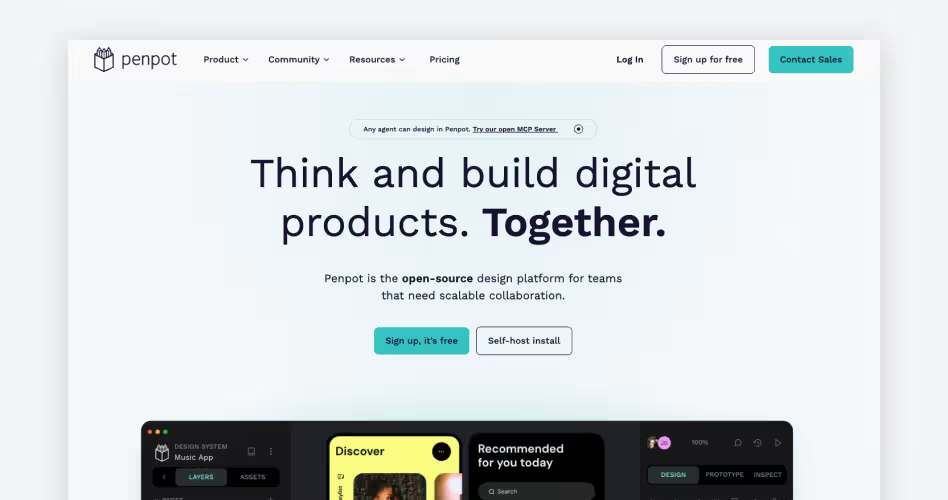
Best for: Designers, developers, and product teams looking for a free, open source Figma alternative with flexible collaboration and self-hosting options.
Overview
Penpot is an open-source UI/UX design platform built for creating user interfaces, interactive prototypes, and design systems. Unlike many commercial design tools, it gives teams more control over how they manage their design environment, including the option to use it as a self hosted Figma alternative.
When evaluating Penpot vs Figma, Penpot stands out by using web-based design tools and SVG-based workflows to help designers create detailed interfaces. It also supports reusable components, shared libraries, and real-time collaboration. With integration capabilities like Penpot MCP (Model Context Protocol), it's a highly adaptable Figma alternative free open source platform.
Key Features
- CSS Flexbox and Grid: Build responsive layouts using CSS Flexbox and Grid.
- Components and Design Systems: Create reusable components, shared libraries, and design tokens.
- Interactive Prototyping: Connect screens, add transitions, overlays, and interactive elements.
- Real-Time Collaboration: Edit designs together, share comments, and manage version history.
- Developer Handoff: Inspect design properties and access CSS, HTML, and SVG code.
- Self-Hosting: Deploy Penpot on your own infrastructure.
Pricing
Why Choose Penpot?
Penpot is a top choice if you want a true Penpot Figma alternative that is open-source. Its CSS-based layouts also make it particularly useful for teams where designers and frontend developers work closely together. However, teams comparing Figma vs Penpot should consider differences in the plugin ecosystem and existing design workflows before making the move.
2. Sketch – Best for Mac-Based UI/UX Design
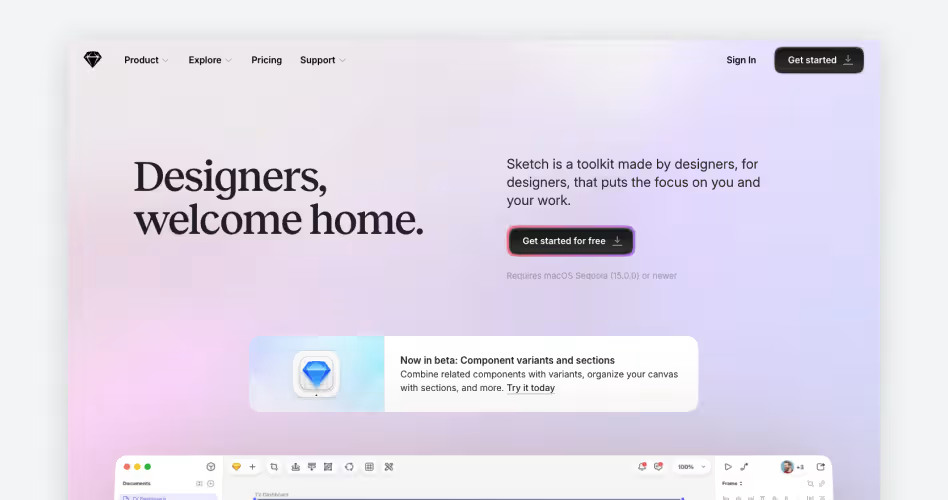
Best for: Mac users and professional UI/UX designers who want a dedicated desktop application for interface design, prototyping, and design system management.
Overview
Sketch is a professional UI/UX design platform developed specifically for macOS. In the classic Figma vs Sketch debate, Sketch shines by providing a dedicated workspace where designers can work directly with local design files offline.
Beyond its desktop application, Sketch also provides a browser-based workspace for developers, clients, and other stakeholders. They can inspect designs, leave comments, and review prototypes without installing the Mac application.
Key Features
- Native macOS Application: Design interfaces, illustrations, and vector graphics using a dedicated Mac application with offline support.
- Symbols and Libraries: Create reusable components, shared styles, color variables, and design libraries.
- Flexible Layouts: Use nested Frames and Stack layouts to organize and resize interface elements.
- Interactive Prototyping: Build prototypes with Smart Animate, overlays, scrolling areas, and interactive triggers.
- Developer Handoff: Let developers inspect designs, copy CSS properties, export assets, and access design tokens.
- Real-Time Collaboration: Work together on shared documents, leave comments, and manage design feedback.
Pricing
Why Choose Sketch?
For designers who prefer a dedicated Mac application over a browser-based workspace, Sketch offers a focused environment for professional interface design. Its offline capabilities, reusable components, and prototyping tools make it suitable for building and maintaining complex design systems.
3. Framer – Best for Website Design and Publishing
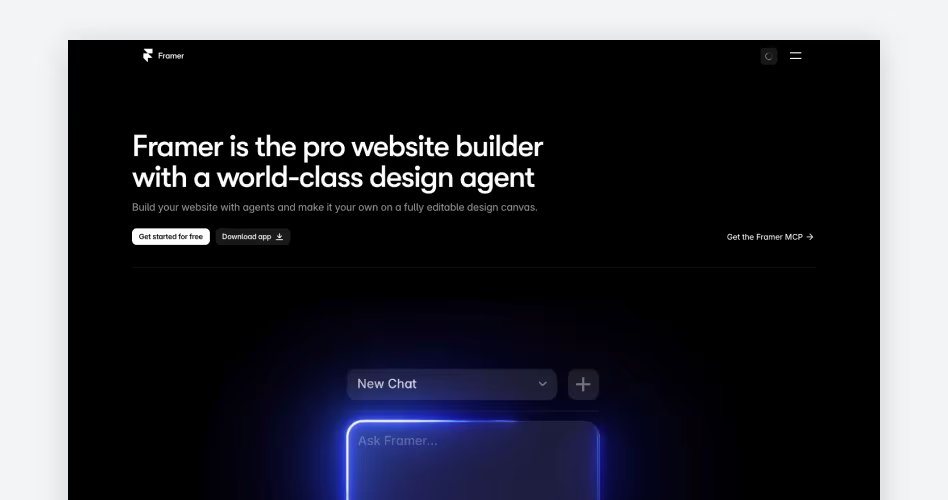
Best for: Web designers, startups, agencies, and marketing teams that want to design, build, and publish responsive websites without a traditional development workflow.
Overview
Framer takes website design beyond static layouts by combining a visual editor with website building and publishing tools. When comparing Figma vs Framer, Framer's standout feature is its ability to build and publish responsive websites directly within the platform.
Its canvas-based editor provides a familiar environment for arranging page elements, adjusting layouts, and creating interactive experiences. Framer also includes a content management system (CMS), built-in hosting, and publishing capabilities.
Key Features
- Visual Website Design: Create website pages, sections, and layouts using a flexible visual editor.
- Responsive Design: Adjust layouts, breakpoints, and elements for desktop, tablet, and mobile screens.
- Animations and Interactions: Add scroll effects, hover states, transitions, and interactive elements.
- Built-in CMS: Manage content collections and create dynamic pages for blogs, directories, and other content-driven websites.
- SEO Tools: Configure metadata, redirects, indexing settings, and other on-page SEO elements.
- Website Hosting and Publishing: Connect custom domains, manage staging environments, and publish websites directly through the platform.
Pricing
Why Choose Framer?
Framer is worth considering if your main goal is to turn website designs into live, functional websites without managing a separate development and publishing workflow. Its visual editor, built-in CMS, responsive layouts, and hosting capabilities make it particularly useful for marketing websites and landing pages.
4. Lunacy – Best Free Desktop Design Alternative
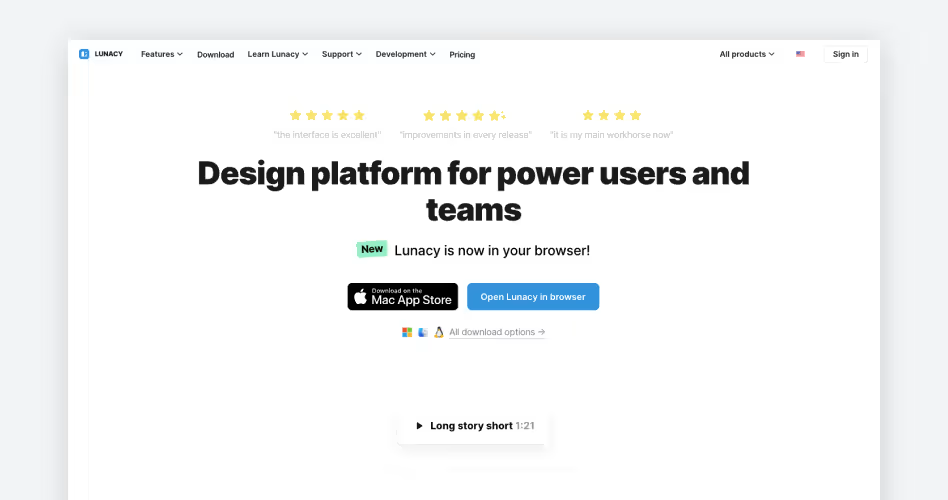
Best for: Designers, freelancers, and product teams who want a free desktop design application with cross-platform support, offline access, and built-in creative assets.
Overview
Lunacy is a cross-platform desktop design tool by Icons8 that lets designers create interfaces without depending entirely on a browser. It is the perfect Figma alternative offline and an excellent Figma alternative for Linux. It brings interface design, creative assets, and everyday productivity tools into one workspace.
Unlike many desktop design tools, it combines interface design with built-in icons, illustrations, photos, and AI-powered utilities. It supports both local and cloud-based documents, allowing users to switch between offline design work and team collaboration. It is even a viable Figma alternative for Android via web integrations or cross-OS compatibility setups.
Key Features
- Cross-Platform Desktop App: Run Lunacy natively on Windows, macOS, and Linux.
- Offline Design: Create and edit local design files without an internet connection.
- Built-In Graphics Library: Access icons, illustrations, photos, and UI kits directly inside the editor.
- Figma and Sketch File Support: Import Figma designs and open, edit, and save Sketch files.
- AI-Powered Tools: Remove image backgrounds, upscale images, generate placeholder text, and create avatars.
- Prototyping and Collaboration: Build clickable prototypes and collaborate with other designers in real time.
Pricing
Why Choose Lunacy?
Lunacy is worth considering if you want professional design capabilities without paying for a traditional design software subscription. Its cross-platform desktop applications, offline support, built-in graphics, and Figma file import make it particularly convenient for individual designers and small teams.
5. UXPin – Best for Advanced Prototyping
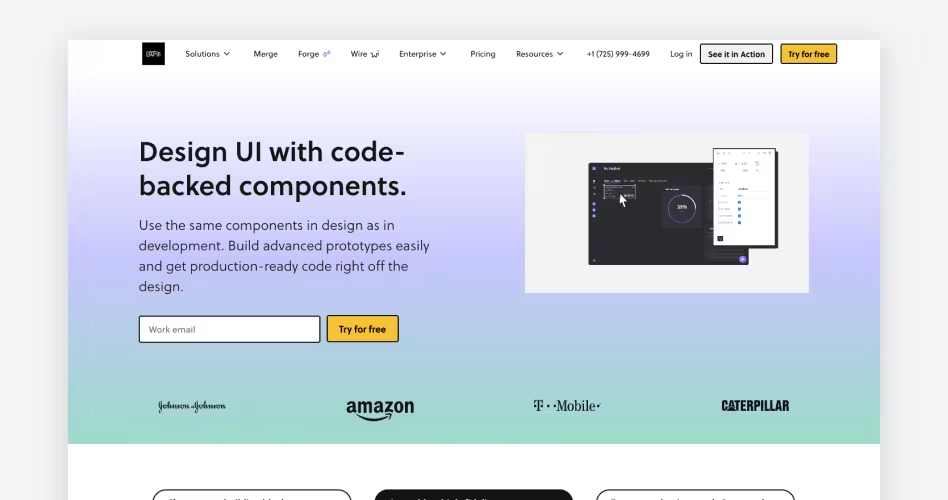
Best for: Product designers and development teams building complex SaaS applications, interactive prototypes, and code-based design systems.
Overview
UXPin is a UI/UX design and prototyping platform that connects interface design with frontend development. In a Figma vs UXPin comparison, UXPin Merge takes the lead by allowing teams to import React components directly from their existing Git repositories.
Instead of recreating buttons, forms, tables, and other interface elements visually, designers can use the same coded components that developers work with. This helps teams create more realistic prototypes and maintain consistency between design and implementation.
Key Features
- UXPin Merge: Import React components from Git repositories directly into the design editor.
- Code-Based Components: Work with production UI libraries such as Material UI and Bootstrap.
- Advanced Interactions: Create prototypes using variables, expressions, interactive states, and conditional logic.
- Design Systems: Build reusable component libraries and maintain consistent interface patterns.
- Developer Integrations: Connect Git repositories, Storybook, and npm packages.
- Code Export: Generate React code and provide developers with component properties and design specifications.
Pricing
Why Choose UXPin?
UXPin is particularly useful for product teams that want to bring design and development closer together. Its code-backed components help designers build prototypes using the same UI elements developers use in production.
6. Axure RP – Best for Complex Interactive Prototypes
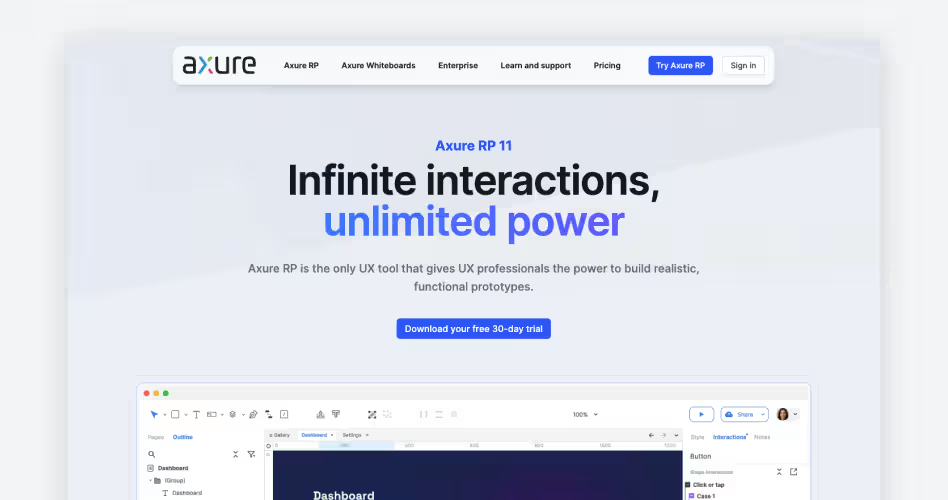
Best for: Enterprise UX designers building complex application workflows.
Overview
Axure RP is suited to simulating complex user flows through conditional logic, variables, dynamic panels, and advanced interactions. Where traditional tools focus on screens, Axure focuses on robust data-driven prototyping.
Pricing
30-day trial available. Paid plans start at $29/user/month.
7. Google Stitch – Best for AI-Powered UI Generation
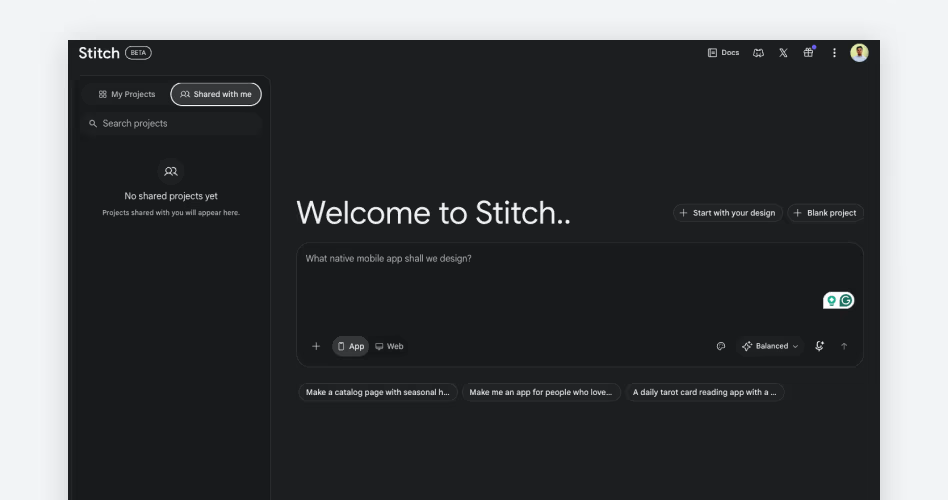
Best for: Designers, developers, founders, and product teams who want to generate UI concepts, explore interface variations, and prototype product ideas using AI.
Overview
Google Stitch is an emerging Google Figma alternative developed by Google Labs. As an AI native Figma alternative, it helps turn product ideas into visual interfaces using natural language prompts, screenshots, and other visual references.
When looking at Figma vs Google Stitch (or even comparing newer AI capabilities like Figma vs Claude Design or Figma vs Lovable), Stitch brings AI generation and design exploration into one seamless workspace.
Key Features
- Text-to-UI Generation: Generate interface layouts from natural language prompts describing product requirements and visual styles.
- Image-to-UI Generation: Turn screenshots, sketches, and wireframes into editable interface concepts.
- AI Design Agent: Refine layouts, explore design variations, and modify interfaces using text or voice instructions.
- Interactive Prototyping: Connect generated screens and create clickable prototypes to explore user journeys.
Pricing
Why Choose Google Stitch?
Google Stitch is worth considering when you want to explore interface ideas without spending hours creating initial layouts manually. Its prompt-based generation, visual references, and AI design agent make it easier to experiment with different screens and user experiences.
8. ProtoPie – Best for Realistic Interactive Prototypes
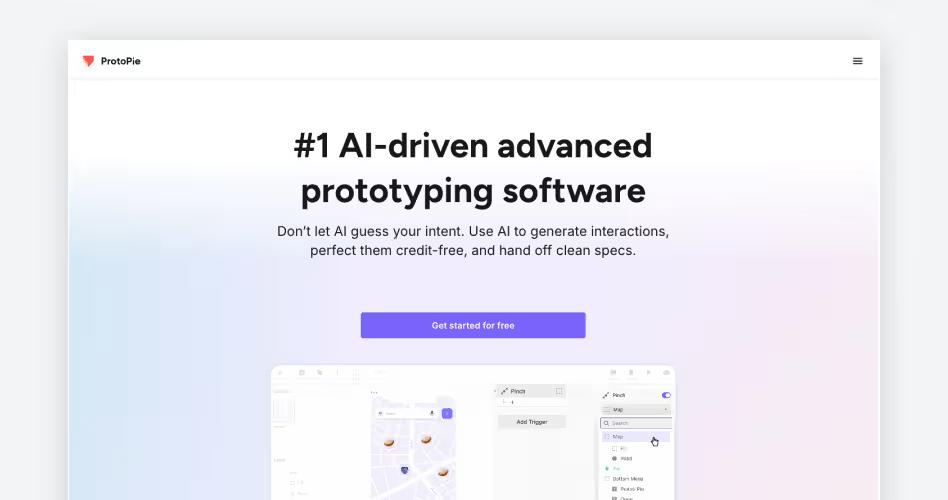
Best for: UX designers creating high-fidelity prototypes with advanced interactions and device sensors.
Overview
ProtoPie is an interactive prototyping tool designed to help UX designers create realistic digital experiences without writing code. Rather than limiting prototypes to clickable screens and basic transitions, it allows designers to simulate how interfaces respond to different user inputs and device behaviors.
Key Features
- Advanced Interaction Design: Build complex interactions using triggers, responses, variables, and formulas.
- Multi-Touch Gestures: Simulate swipes, pinches, taps, and other touch-based interactions.
- Device Sensor Integration: Use camera inputs, gyroscopes, compasses, and other device sensors.
- Voice Prototyping: Create voice-controlled experiences using speech recognition and text-to-speech.
Pricing
How to Choose the Right Figma Alternative
Choosing a Figma alternative depends on what you're designing and how your team works. A tool that works well for building marketing websites may not offer the flexibility needed for complex SaaS interfaces or advanced prototyping. Consider your project requirements, preferred workflow, budget, and the level of collaboration your team needs before making a decision. Here are some common design requirements and the tools worth considering for each.
- For UI/UX and SaaS Product Design: Consider Penpot or Sketch. Designing SaaS products involves more than arranging screens. You need reusable components, consistent design systems, responsive layouts, and a workspace that supports ongoing product development. Penpot is a strong option if you prefer open-source software and want greater control over your design environment. Its CSS-based layouts, reusable components, and self-hosting capabilities make it particularly useful for teams where designers and developers work closely together. Sketch, on the other hand, suits designers who prefer working in a dedicated macOS application. Its Symbols, shared Libraries, and native design tools provide a focused environment for creating and maintaining complex interface designs.
- For Website Design and Development: Consider Framer. Website projects often require more than creating page layouts and handing them over to developers. You also need responsive behavior, animations, content management, and a reliable way to publish the finished website. Framer brings these capabilities together in one visual workspace. When exploring Figma vs Framer, Framer excels because you can design website pages, configure responsive layouts, add interactions, manage content through its CMS, and publish directly to a custom domain. This makes it particularly useful for startups, agencies, and marketing teams.
- For Budget-Conscious Designers: Consider Penpot or Lunacy. Design software subscriptions can become expensive, particularly for freelancers, independent designers, and small teams managing multiple projects. If you are searching for free UI design tools, a free tool can cover much of your everyday work without adding another monthly expense. Penpot offers an open-source design environment with interface design, prototyping, reusable components, and collaboration features. Lunacy takes a different approach with its free desktop application, offline editing, and built-in libraries of icons, illustrations, and photos.
- For Advanced Prototyping: Consider UXPin or Axure RP. Some product interfaces require more than clickable screens and basic transitions. Complex SaaS applications often involve conditional workflows, dynamic content, user permissions, and interactive components. In a Figma vs UXPin comparison, UXPin is particularly useful when your team already has a React component library. Its Merge technology lets designers work with production code components, creating prototypes that closely resemble the actual application. Axure RP is better suited to simulating complex user flows through conditional logic, variables, dynamic panels, and advanced interactions.
- For AI-Assisted Design: Consider Google Stitch. Creating initial interface concepts can take considerable time. A Figma alternative AI can speed up this early stage by turning product requirements into visual starting points. Google Stitch, an AI native Figma alternative with MCP integrations, helps designers generate interface layouts using text prompts, screenshots, and visual references. You can explore different design directions, refine generated screens, and create interactive prototypes without building every element manually.
- For Complex Product Interactions: Consider ProtoPie. Some digital products require interactions that static screens and basic clickable prototypes cannot demonstrate. Think about mobile applications that use device sensors, voice commands, gestures, or connected hardware. Testing these experiences requires prototypes that respond to more than simple clicks. ProtoPie is designed for this type of interaction testing.
- For Beginners or Graphic Design: Consider Canva. If you're looking for a Figma alternative for beginners, you might explore comparisons like Figma vs Canva or Figma vs Balsamiq. While Figma is geared toward UI/UX professionals, Canva offers a more accessible, template-driven approach for creating marketing assets, social media graphics, and presentations.
Why Are Designers Looking for Figma Alternatives?
As seen frequently on Figma alternative Reddit discussions, Figma remains a popular choice for UI/UX design, but it doesn't meet every designer's needs. Different teams have different budgets, technical requirements, and working preferences. Here are some common reasons designers explore alternatives:
- Subscription Costs: Design software subscriptions can become expensive as teams grow. Smaller businesses may look for a Figma alternative free of charge or a Figma alternative without account requirements to lower overhead. Freelancers often seek alternatives with free plans or one-time licensing options.
- Open-Source Preferences: Some teams prefer software they can customize, self-host, and manage independently. There is a strong preference for a Figma alternative open source platform like Penpot to maintain data sovereignty, allowing greater flexibility and control over the design environment.
- Offline Capabilities: Not every designer wants to depend on a stable internet connection. The need for a Figma alternative offline to work without internet is a major factor. Desktop applications like Sketch and Lunacy allow users to work with local files and continue designing smoothly offline.
- Different Prototyping Requirements: Basic clickable prototypes aren't enough for every project. Tools like Axure RP, UXPin, and ProtoPie offer specialized capabilities for testing complex workflows, conditional interactions, and realistic product behavior that basic screen transitions cannot handle.
- AI Integration: There is growing interest in a Figma alternative AI or AI native Figma alternative to speed up workflows. AI-powered tools are changing how designers explore and develop interface concepts, reducing the time needed to create initial designs.
- Platform Specificity: Some designers have strict OS requirements, searching for a dedicated Figma alternative for Linux or Figma alternative for Android. Some prefer native desktop applications, while others need browser-based collaboration or cross-platform support. Tools like Sketch, Lunacy, and Penpot offer different approaches to these workflows.
Frequently Asked Questions
What is the best free alternative to Figma?
For many, Penpot is the best free alternative to Figma, especially if you're looking for an open-source option. Lunacy is another excellent free UI design tool, particularly for those wanting offline capabilities or a Figma alternative for Linux.
Who are Figma's competitors?
Figma competitors include a wide range of tools tailored for different needs. Major players in UI/UX include Sketch, Framer, and Penpot. Prototyping specialists include UXPin and Axure RP, while newer entries like Google Stitch offer AI-driven features.
Is there a free Figma alternative?
Yes, there are several free alternatives to Figma. Penpot is a highly regarded free open-source Figma alternative. Lunacy also offers a robust free version that works offline. Many other tools offer limited free plans for individuals.
Is Penpot as good as Figma?
The Penpot vs Figma debate often depends on your priorities. Penpot is excellent for developers and designers wanting an open-source Figma alternative with self-hosting options and strong SVG support. However, Figma still leads in advanced collaborative features and its vast plugin ecosystem.
What is Penpot?
Penpot is a popular open-source Figma alternative. It's a web-based design and prototyping platform that uses SVG as its native format, making it highly compatible with web development workflows. It's often chosen by teams seeking a self-hosted Figma alternative.
Does Google have a Figma alternative?
Yes, Google Stitch is emerging as a Google Figma alternative. It focuses heavily on AI-powered UI generation and prompt-based design, making it a unique competitor in the space.
Are Canva and Figma competitors?
While there is some overlap, comparing Figma vs Canva reveals different primary use cases. Figma is a professional UI/UX design tool for interfaces and prototypes. Canva is primarily a graphic design tool focused on marketing materials, social media graphics, and presentations, making it more of a Figma alternative for beginners or specific graphic tasks.
Which Figma alternative works offline or on Linux?
If you need a Figma alternative offline or a Figma alternative for Linux, Lunacy is the top choice. It's a native desktop app that supports Windows, macOS, and Linux and doesn't require a constant internet connection.
Can I open my Figma files in another design tool?
Yes, several alternatives to Figma support importing Figma files. For example, Lunacy allows you to import Figma designs directly so you can continue editing them offline.
What Figma alternatives exist?
There are many Figma alternatives available depending on your needs. Options range from free UI design tools like Penpot and Lunacy, to advanced prototyping software like UXPin and Axure RP, to AI native Figma alternative platforms like Google Stitch.
Is Figma Still Worth Using in 2026?
Yes, Figma is still a strong choice for UI/UX design in 2026. Its real-time collaboration, reusable components, shared design libraries, and developer handoff features make it practical for teams.
However, depending on your needs, you might explore how it stacks up against others in debates like Figma vs Adobe XD, Figma vs Miro, Figma vs Claude Design, or Figma vs Lovable. Ultimately, you don't need to switch from Figma just because alternatives exist. Choose another tool when it offers something your current workflow genuinely needs.