


.svg)

%201%201.svg)
Best AI Image Generators in 2026: Features, Pricing, and Use Cases
- Choose Design.com if you want a finished, ready-to-publish asset, not just an image file.
- Choose Adobe Firefly if legal safety and licensed training data matter most.
- Choose Midjourney if you want the most artistic, stylized output.
- Choose ChatGPT Images if you want to refine images through conversation.
- Choose Ideogram if your image needs readable text.
- Choose Canva AI if you already design inside Canva.
- Choose Leonardo.Ai if you want model variety and fine control.
What if the image for your next campaign took 10 seconds instead of two hours? AI image generators make that possible, and they matter most when a launch, pitch deck, or content calendar is due, and stock libraries have nothing usable.
You describe the image in a sentence, and the tool creates an original in seconds. The real difference between tools is what happens next, because some stop at the file and others help you edit, connect it to your brand messaging, and publish it.
This guide compares seven AI image generators in 2026 on features, pricing, free tiers, and use cases. You will see which one fits your workflow and budget.
What is an AI Image Generator?
An AI image generator is software that creates original images from a written description, called a prompt. You type what you want, and the model returns one or more images.
Models learn visual patterns from large image collections and then generate new images that match your words. The more specific the prompt, the closer the result: subject, setting, style, mood, lighting, and colors all help.
How We Evaluated AI Image Generators
We compared each tool on five criteria:
- Image quality and style range
- Free tier and pricing
- Commercial use terms
- Editing and workflow
- Ease of use
We included tools with public pricing that work without technical setup. We excluded video-only tools, enterprise-only platforms, and tools that need local installation.
AI Image Generator Comparison
This table puts all seven tools side-by-side so you can narrow your shortlist before reading the reviews.
7 Text-to-Image AI Tools Reviewed
Each review covers key features, pricing, best use cases, and limitations in the same order. Read the ones that match your goals, or skip to the verdict in each section for a quick take.
1. Design.com: Best AI Image Generator for Finished, Branded Designs
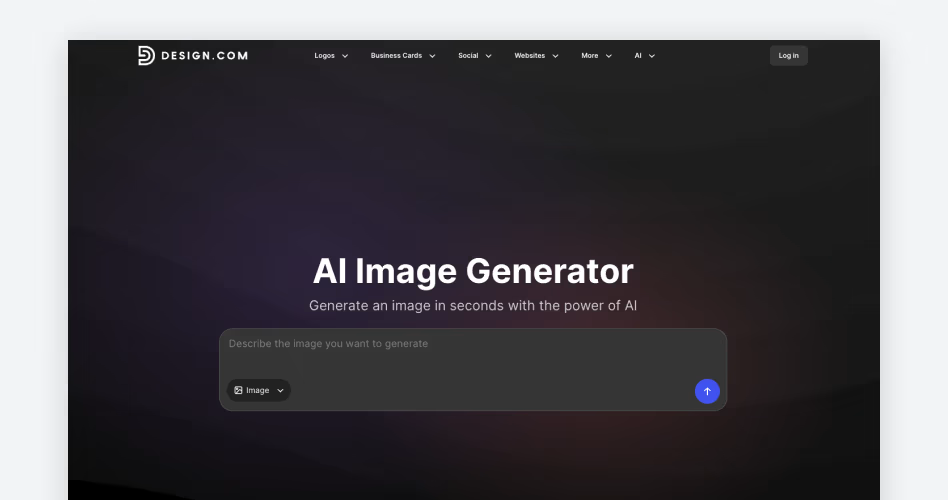
Design.com’s AI image generator creates images from a plain language prompt and returns several options in seconds. It targets entrepreneurs, marketers, small businesses, designers, and content creators, and you need no design or AI experience.
The workflow is short. Write a prompt, add visual details like style, lighting, and colors, then generate. Pick a favorite, refine the prompt if it is close but not right, and download the image or drop it into a template.
Key features
- Prompts can specify subject, setting, background, style, mood, lighting, colors, and composition
- Several interpretations per prompt, with easy revision and regeneration
- Realistic scenes, product concepts, illustrations, abstract imagery, and backgrounds
- Images move into Design.com templates and tools, with your logo, brand colors, and fonts
Pricing
- Free: create images without an account, with free AI editing for a set number of edits
- AI Design Plan: $3/month billed annually, with an AI image editor, 50 AI generated images a month, 50+ design and AI tools, and 651,000+ templates
- AI Design Plan + Website: $5/month billed monthly
Best use cases
- Social media posts for Instagram, Facebook, TikTok, LinkedIn, and YouTube
- Flyers, posters, and ads
- Website banners and landing page visuals
- Presentation graphics and branded business materials
The verdict
Design.com suits anyone who needs the image to become something publishable. Generating, editing, and branding happen in one place, and the entry price is the lowest on this list. Plus, you can try the AI image generator free without an account.
Limitations
The paid plan caps AI generation at 50 images a month, and free AI editing is limited to a set number of edits. Design.com does not list model switching or advanced generation settings, so users who want that depth may prefer a dedicated generator.
2. Adobe Firefly: Best for Commercially Safe AI Images
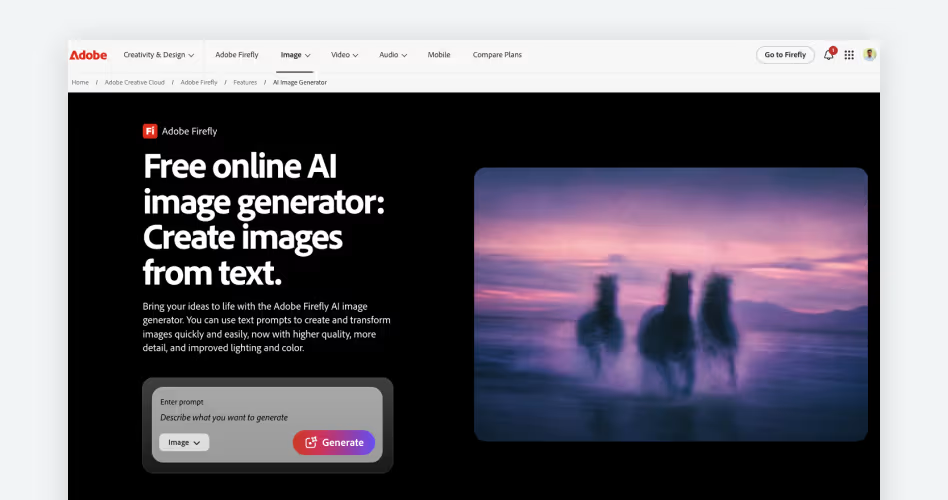
Adobe Firefly is Adobe's generative AI platform for images, video, and audio. Adobe markets its models as commercially safe and trained on licensed content, which matters to agencies worried about copyright claims.
Key features
- Image, video, and audio generation on web and mobile
- Generative Fill, which adds or removes objects in part of an image
- Firefly Boards for collecting and organizing ideas
- Partner models from companies such as Google on higher tiers
Pricing
Adobe's plans page lists these tiers:
- Free: 25 generative credits per month
- Standard: $9.99/month (2,000 credits)
- Pro: $19.99/month (4,000 credits)
- Pro Plus: $49.99/month
- Premium: $199.99/month
Credits are the units Firefly uses to meter premium features such as video and partner models. Paid plans include unlimited standard image generations.
Best use cases
- Client work and ad campaigns
- Brand imagery
- Teams that need documented provenance
The verdict
Firefly is the lowest risk option when legal comfort is the priority. It also suits teams already working in Adobe apps.
Limitations
The free tier is small, and the credit system gets confusing once you use premium features. Finishing a graphic usually means opening another Adobe app. Indemnification, which is the vendor's legal protection if a copyright claim arises, varies by plan, so check Adobe's current terms.
3. Midjourney: Best for Artistic and Stylized AI Art
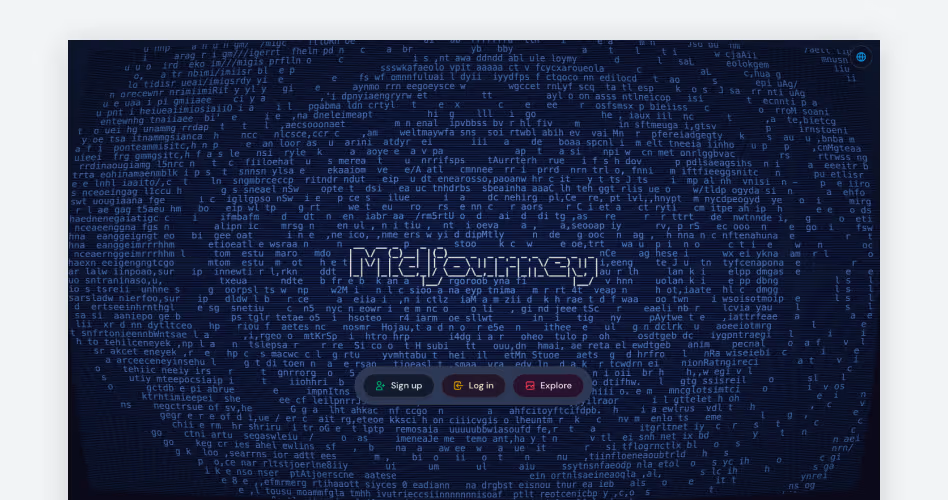
Midjourney produces stylized, painterly images and is popular with illustrators and art directors. You use it through a web interface.
Key features
- Strong style control and consistent artistic quality
- Relax mode, which gives unlimited but slower image generations on Standard and above
- Video generation on higher tiers
- Stealth mode, which keeps images private, on Pro and Mega
Pricing
Midjourney's plans page lists four tiers with no free option:
- Basic: $10/month, with about 3.3 fast GPU hours (time on Midjourney's fastest servers)
- Standard: $30/month, with 15 fast GPU hours
- Pro: $60/month, with 30 fast GPU hours
- Mega: $120/month, with 60 fast GPU hours
Annual billing saves 20%, and extra GPU time costs $4 per hour.
Best use cases
- Concept art and editorial illustration
- Mood boards and brand exploration
- Book, album, and poster art
The verdict
Midjourney is the choice when visual style matters more than speed or workflow.
Limitations
There is no free tier, and Basic and Standard images are not private. The tool has few layout, branding, or template features, so finishing a design happens elsewhere.
4. ChatGPT Images: Best for Conversational Image Editing
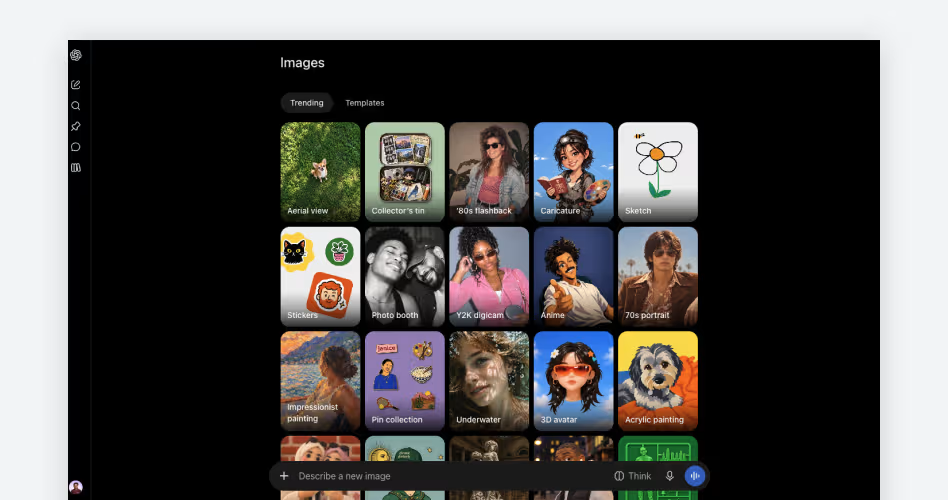
ChatGPT Images is the image generator inside ChatGPT, so you create and revise images in a chat. You describe the picture, then ask for changes in follow up messages.
Key features
- Detailed instruction following
- Follow up edits such as changing colors, adding elements, or shifting style
- Writing, research, and image creation in one place
Pricing
- Free: a limited number of images per day
- Plus: $20/month, with much higher image limits
- Higher tiers exist for heavy users
Best use cases
- Brainstorming and quick concepts
- Social visuals
- Existing ChatGPT subscribers
The verdict
ChatGPT Images works well if you would rather talk through changes than learn settings.
Limitations
Free usage is tightly capped, and generation can be slower than dedicated tools. It has no templates, brand kits, or layout features.
5. Ideogram: Best for AI Images with Readable Text
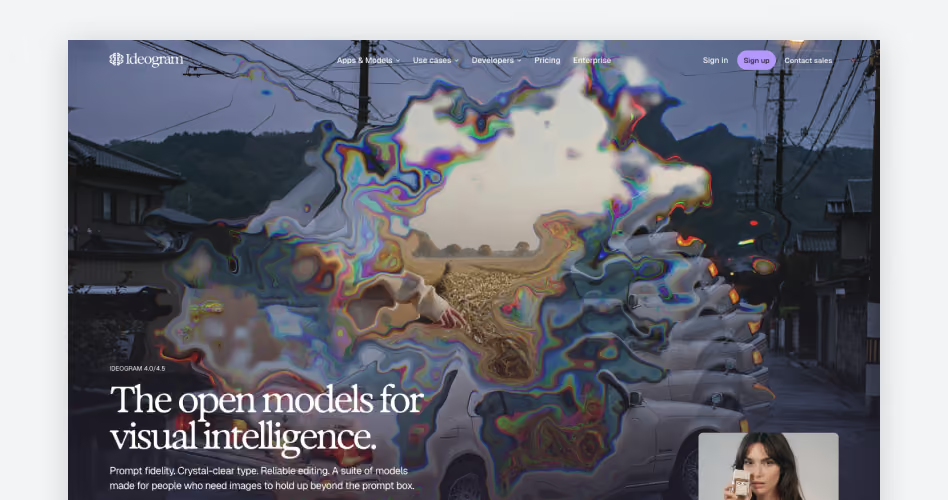
Ideogram is built to place legible text inside images, which many generators get wrong. That helps with posters, logos, and typography led designs.
Key features
- Reliable text rendering, including longer phrases
- Style references
- Photorealistic, design, and illustration styles
- Private generation on paid plans
Pricing
Ideogram's pricing page lists these plans:
- Free: weekly slow credits for eligible accounts, one generation at a time
- Plus: $20/month, or $15/month billed annually ($180 a year), with 2,400 priority credits per month, unlimited slow credits, and private generation
- Pro: $60/month, or $42/month billed annually ($504 a year), with 7,500 priority credits per month, batch generation, and quality export
- Team: $30 per user/month, or $20 billed annually, with a minimum of 2 users
Priority credits generate images instantly. Slow credits are free of charge on paid plans, but wait times vary with server demand.
Best use cases
- Posters and social graphics with headlines
- Packaging mockups
- Logo and typography concepts
The verdict
If your image contains words, test Ideogram first.
Limitations
Unused priority credits expire at the end of each billing cycle. AI editing features need priority credits, so they stop working once those run out. Free images are public, and Ideogram offers no free trials for paid plans.
6. Canva AI: Best for Designing Inside Canva
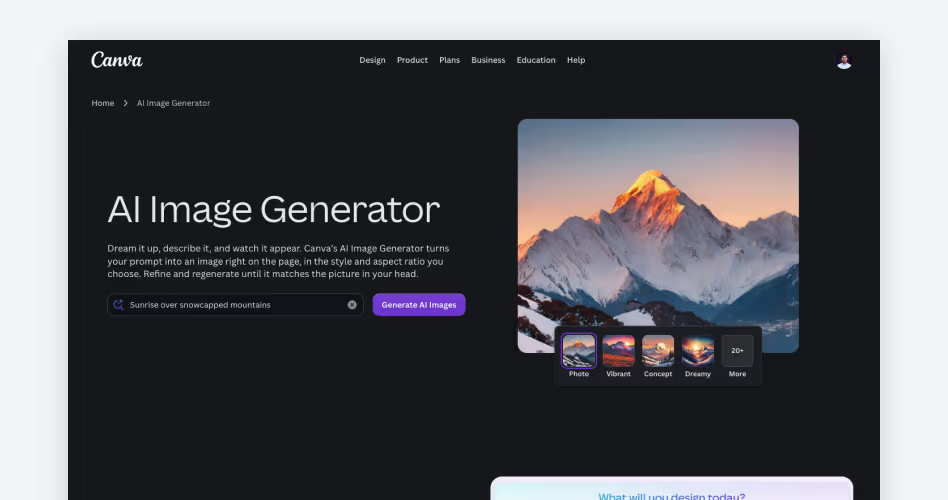
Canva AI is the set of AI tools inside the Canva editor, including image generation. You generate an image and place it in a design without exporting.
Key features
- AI image generation inside the Canva editor
- Templates, brand kits, and collaboration tools
- Magic Edit, Magic Eraser, and Magic Expand for changing images in place
- Magic Layers, which separates a flat image into editable layers
Pricing
Canva's pricing page lists these plans:
- Free: up to 20 uses of Standard or Premium AI, 1.6M+ templates, and 1 Brand Kit
- Pro: $144/year for one person, with 10x more AI than Free, 3.6M+ templates, and 5 Brand Kits
- Business: $250/year per person, with 20x more AI than Free and team admin tools
- AI Pass: an add-on for Pro and Business at extra cost
Canva counts AI use against a shared allowance, and image generation falls under Standard AI. Fair use limits apply on paid plans.
Best use cases
- Presentations
- Social posts
- Everyday marketing materials
The verdict
Canva AI makes the most sense when image generation is one step in a design you are already building.
Limitations
The free plan caps AI at 20 uses, and heavier AI tools use up your shared allowance faster. Canva AI is one feature of a design platform, so it offers less model and style control than dedicated generators.
7. Leonardo.Ai: Best for Model Variety and Creative Control
Leonardo.Ai gives you a choice of models and settings to control the look of an image. Canva acquired Leonardo in 2024, and it still runs as its own product.
Key features
- Multiple models for photorealism, concept art, and other styles
- Canvas editing tools
- Custom model training on paid tiers
- Video generation on higher plans
Pricing
Leonardo's pricing page lists these plans. Tokens are the units Leonardo spends on each generation.
- Free: 150 tokens per day, with public images
- Apprentice: $12/month
- Artisan: $30/month (25,000 tokens)
- Maestro: $60/month (60,000 tokens)
Best use cases
- Game art and concept work
- Product imagery
- Users who want custom models and fine settings
The verdict
Leonardo.Ai is the best fit for users who want hands on control, and its free tier is one of the more generous here.
Limitations
Token costs vary by model and action, so spending is hard to predict. Branding and publishing happen outside the tool, and free images are public.
AI Image Generator Features That Matter
The right features depend on what you plan to create. A social post and a print flyer have different needs, so check these areas before you commit to a tool.
Prompt Control and Ease of Use
Good prompt control lets you specify subject, style, lighting, and composition. It should also let you regenerate quickly when the first result misses.
Ease of use matters just as much. Tools that let you start without an account, like Design.com, remove friction before your first image.
Style Range
Some generators favor photorealism, and others lean toward artistic or illustrated. Choose the one that matches the look your brand needs.
A wide range of styles helps if you create many content types, from product shots to social graphics.
Text Rendering Accuracy
Many AI image generators still garble words inside images. If you need headlines, labels, or signage, test text output before you commit.
When a tool struggles, generate the image first and add text in a design editor.
Commercial Licensing
Commercial use terms decide whether you can safely use images in ads, client work, and products. Check privacy options and any limits tied to company revenue.
Read the current terms on each vendor's site, since licensing rules change.
Built In Editing and Templates
Editing tools and templates turn a raw image into a finished asset without a second app. Platforms such as Design.com and Canva pair generation with templates, so brand colors, fonts, and layouts stay consistent.
Tools without editing force you to export and finish elsewhere, which adds steps to every new asset.
Export Options
Confirm that you can download the file formats and sizes your channels need. Social posts, print flyers, and website banners all have different requirements.
Check this early, since resizing later adds extra steps.
Frequently Asked Questions
What is the best AI image generator in 2026?
Design.com is the best overall pick for turning a prompt into a finished design. Midjourney leads for artistic style, Adobe Firefly for legal safety, and Ideogram for text rendering. Your choice depends on whether you need an image or a finished asset.
What is the best free AI image generator?
Design.com lets you create images for free, no account required. Leonardo.Ai gives 150 daily tokens, Ideogram gives weekly free credits to eligible accounts with public images, and ChatGPT offers a limited number of free images a day. Midjourney has no free tier.
How do I write a good AI image prompt?
Start with the subject, then add setting, style, mood, lighting, colors, and composition. For example: "A ceramic coffee mug on a wooden desk, soft morning light, warm beige and green colors, minimal composition." If the result is close, change one detail and regenerate.
Can I edit an AI image after generating it?
Yes, in most tools. Design.com offers AI editing, free for a set number of edits. Adobe Firefly has Generative Fill, ChatGPT edits through follow up messages, and Canva has Magic Edit.
How much do AI image generators cost?
Most offer a free tier or an entry plan under $20 a month. Design.com starts at $3/month billed annually, Adobe Firefly at $9.99, Midjourney at $10, Leonardo.Ai at $12, and ChatGPT Plus at $20. Top tiers run much higher, up to $120 for Midjourney Mega and $199.99 for Firefly Premium.
Which AI image generator is best for commercial use?
Adobe Firefly is the usual choice when legal documentation matters most. Midjourney requires Pro or Mega for companies earning over $1 million a year. Read each vendor's current terms before using images in client or ad work.
Final Verdict
AI image generators make custom visuals possible in seconds, but the tools differ in what happens after the image appears. This guide compared seven options on features, pricing, free tiers, and editing tools. The right choice depends on whether you need only an image or a finished, publishable asset.
Design.com is the best option for most marketers, small businesses, and creators. You can generate images for free without an account, then edit and brand them with its templates and design tools in the same platform. Paid plans start at $3/month, billed annually.
If you want to see the difference yourself, run one prompt through Design.com's free generator and drop the best result into a template. That shows you in a few minutes whether an all in one workflow fits how you work.





.svg)
.svg)


.svg)







.avif)



.svg)

