


.svg)

%201%201.svg)
10 AI Design Tools to Improve Your Design Workflow
- AI design tools help designers work faster by automating repetitive tasks like image editing, mockups, and layout generation.
- Different tools solve different problems, from UI/UX design and branding to graphic design, presentations, and image creation.
- The best AI design tool depends on your workflow, budget, and the type of design projects you work on.
- AI enhances creativity rather than replacing it, giving designers more time to focus on ideas, strategy, and user experience.
AI design tools can save time, improve productivity, and make many design tasks easier. Whether you're designing a website, building a mobile app, creating social media graphics, or generating AI artwork, the right tool can help you work more efficiently without changing your creative process.
With so many options available, choosing the right one can be difficult. Every platform offers different features, pricing, and design capabilities, making it important to compare them before deciding which one to use.
That's why we've put together this comparison of the top 10 AI design tools. Use our insights to explore what each tool does best, the features it offers, and how much it costs before making your choice.
Compare the Top AI Design Tools at a Glance
Every AI design tool has different strengths. Some are built for UI/UX design, while others focus on graphics, websites, or AI-generated images. This quick comparison makes it easier to see which tool fits your needs.
None of them replace what professional UI/UX design services actually deliver though: a finished product built around your users, not just a set of AI-generated screens.
1. Adobe Firefly

Ideal for: Designers who already use Adobe Photoshop, Illustrator, or Express
Adobe Firefly is the leading AI art generator for professional design workflows — the only platform here trained exclusively on licensed Adobe Stock images and public-domain content, with IP indemnification for enterprise users that no competitor on this list can match. Instead of creating an image and starting over in another app, you can generate artwork, graphics, and vectors, then continue editing them in Photoshop or Illustrator.
That seamless workflow is what makes Firefly stand out. If you already use Adobe tools every day, adding AI feels like a natural extension rather than learning another platform.
What Can You Do With Adobe Firefly?
Firefly helps you generate creative assets while keeping them easy to refine inside Adobe apps. Some of its most useful features include:
- Generate images from text prompts with commercially safe, licensed outputs
- Create editable vector graphics in Illustrator
- Produce AI artwork with full IP indemnification for enterprise users
- Explore different styles and compositions
- Work directly with Photoshop and Illustrator
- Generate multiple design variations
Pricing
Where It Falls Short
Firefly is built around the Adobe ecosystem, so its full value comes when you're already working in Creative Cloud. Its biggest strength is speeding up everyday professional design work with commercially safe outputs.
2. Design.com
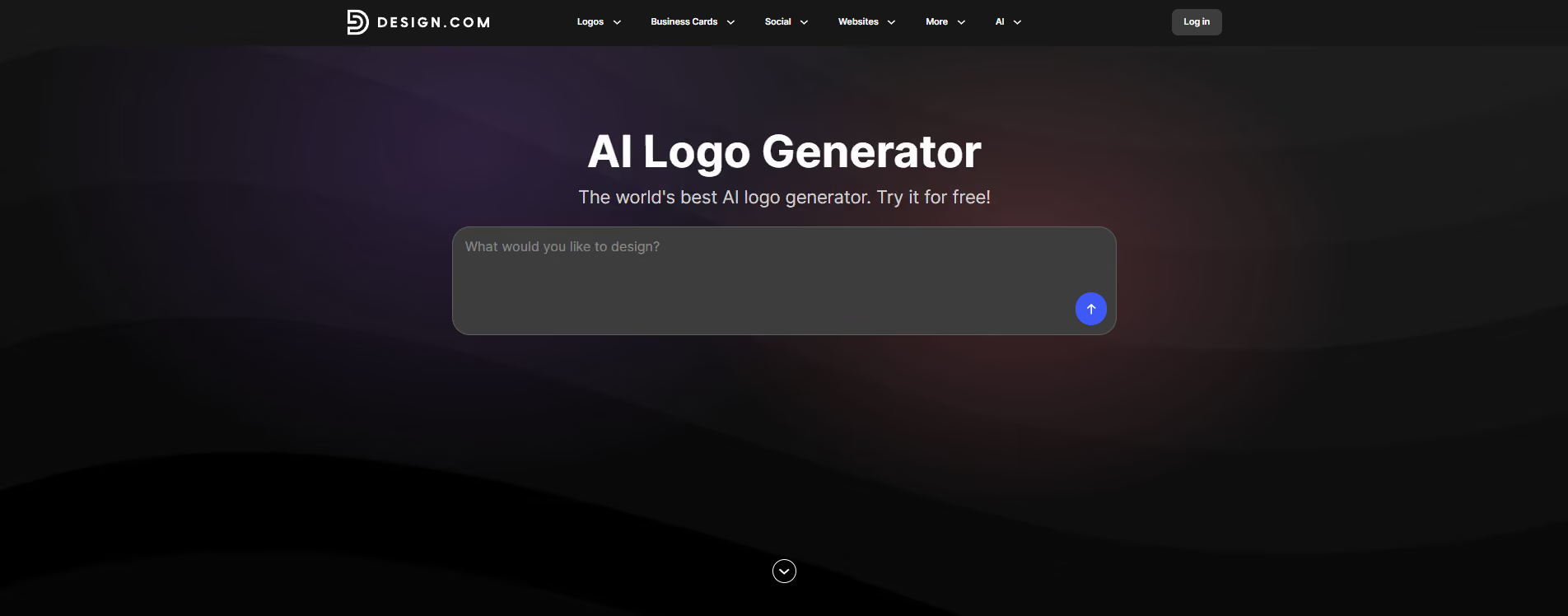
Ideal for: Businesses, startups, and creators who want AI-powered logo design alongside everyday branding tools
Design.com combines AI logo generation with a large library of templates and other design tools. Its AI logo maker uses your business name, keywords, industry, and brand information to generate logo concepts, with results appearing in seconds. You can then adjust fonts, colors, icons, spacing, and layouts, or use the AI chat editor to request changes in plain language.
The platform is also designed to take the logo into the rest of your workflow. Once you have a design you like, Design.com can create matching business cards, social media posts, email signatures, letterheads, websites, and other branded assets. It has 500,000+ designs, 62,000+ vector shapes, 525+ exclusive fonts, and 50+ design tools, giving you plenty of options to keep your visual identity consistent across different projects.
What Can You Do With Design.com?
Design.com brings logo creation and everyday branding tasks into one workflow. Some of its most useful features include:
- Generate AI logo concepts using your business name, keywords, and industry
- Edit logos manually or request changes through the AI chat editor
- Customize fonts, colors, icons, spacing, and layouts
- Browse more than 500,000 designs for additional creative directions
- Use 62,000+ vector shapes and 525+ exclusive fonts
- Automatically create matching business cards, social posts, email signatures, and letterheads
- Create websites, presentations, flyers, posters, and other branded content
- Export logos in high-resolution PNG, JPG, SVG, EPS, and PDF formats
Pricing
Design.com has a genuine free tier that includes AI logo generation, customization, high-resolution downloads, vector files, and commercial use rights. Paid plans add unlimited logo edits and more branding tools, with the Starter plan starting at $3/month when billed annually.
3. Figma AI
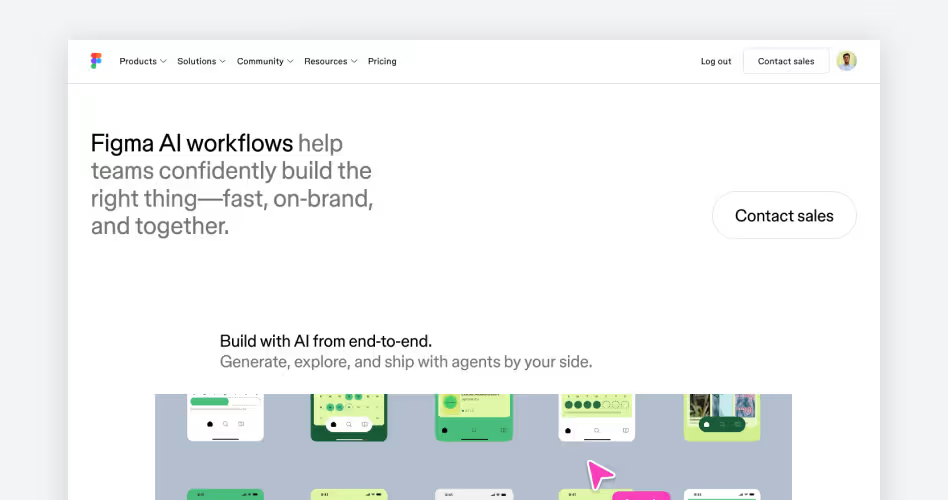
Ideal for: Speeding up UI and product design inside Figma
Figma AI helps you move through common design tasks faster without leaving your workspace. It can generate layouts, create wireframes, organize layers, and suggest content while keeping everything fully editable.
During our test, Figma AI generated a SaaS dashboard from a single prompt. Every element remained editable, making it easy to refine the layout, update components, and continue designing as usual.
What Can You Do With Figma AI?
Figma AI speeds up repetitive tasks so you can focus on designing. Some of its most useful features include:
- Generate UI layouts from text prompts
- Create wireframes in seconds
- Rename layers automatically
- Generate placeholder text
- Search files and components with AI
- Edit generated designs inside Figma
Pricing
Where It Falls Short
Figma AI is designed to assist your workflow, not replace it. You'll still need to refine layouts, improve usability, and make design decisions yourself. Some AI features are also limited to paid plans.
4. Midjourney

Midjourney homepage screenshot, an AI design tool for concept art, mood boards, and text-to-image generation
Ideal for: Concept art, illustrations, mood boards, and creative exploration
Midjourney is built for turning ideas into detailed, high-quality artwork. Whether you're creating concept art, mood boards, marketing visuals, or creative references, it generates polished images from simple text prompts with very little effort.
Image quality is where Midjourney stands out. It consistently produces rich compositions, realistic lighting, and artistic styles that often need little or no refinement before they're ready to use.
What Can You Do With Midjourney?
Midjourney helps you quickly explore visual ideas and generate multiple creative directions. Some of its most useful features include:
- Generate artwork from text prompts
- Create concept art and mood boards
- Explore different artistic styles
- Create marketing and social media visuals
- Upscale images for higher quality
- Generate multiple design variations
Pricing
Where It Falls Short
Midjourney generates stunning images, but they're not editable design files. If you need to build websites, design interfaces, or add branding elements, you'll need another tool to finish the job. It also doesn't offer a free plan, making it less accessible for casual users.
5. Canva Magic Design
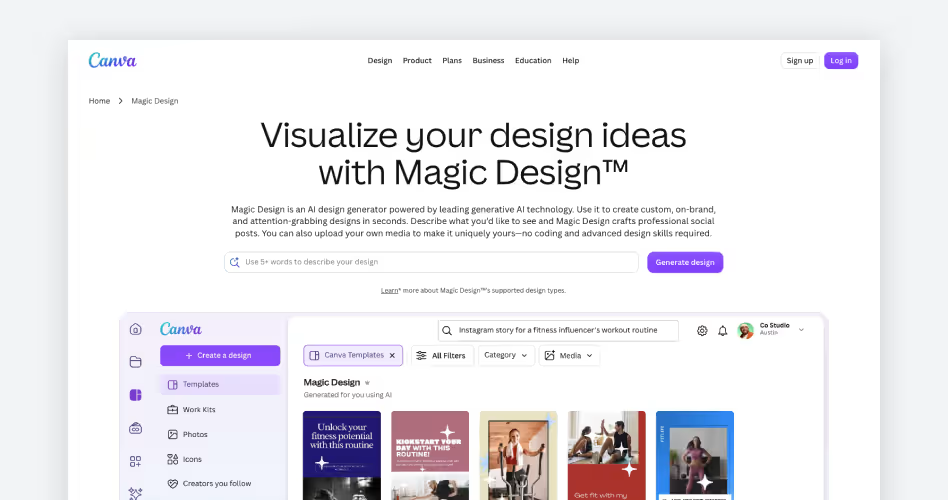
Ideal for: Social media graphics, presentations, and marketing content
Canva Magic Design helps you turn a simple prompt into a finished design in minutes. It generates layouts with matching fonts, colors, images, and templates, giving you a solid starting point that's easy to customize.
For our prompt, Canva generated a polished Instagram post complete with imagery, typography, and spacing. A few edits were enough to make it ready to publish.
What Can You Do With Canva Magic Design?
Canva makes it easy to create everyday marketing content without starting from a blank canvas. Some of its most useful features include:
- Generate designs from a text prompt
- Create social media posts and presentations
- Remove image backgrounds
- Resize designs for different platforms
- Access millions of templates and stock assets
- Collaborate with your team in real time
Pricing
Where It Falls Short
Canva is built for quick content creation, not complex design projects. If you're designing apps, building design systems, or doing advanced image editing, you'll likely need tools like Figma or Adobe Creative Cloud.
6. Uizard
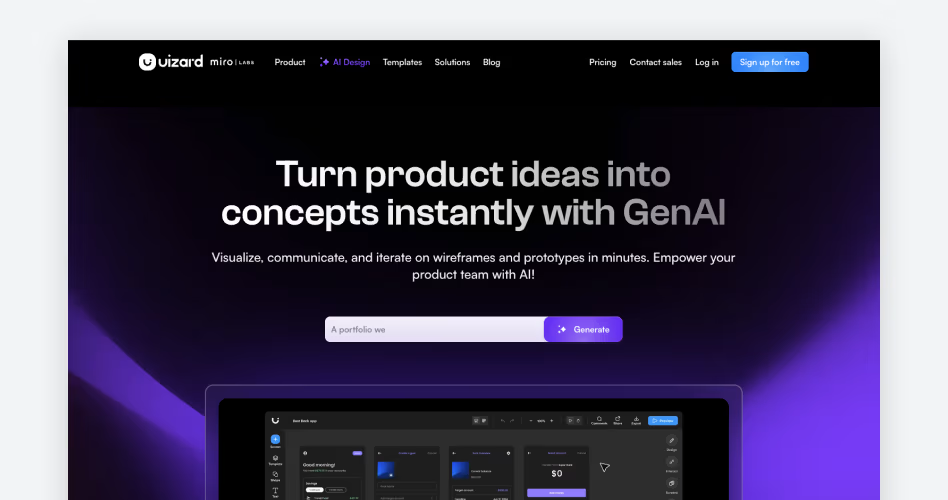
Ideal for: Turning ideas, sketches, and text prompts into wireframes and prototypes
Uizard helps you turn rough ideas into clickable prototypes without starting from scratch. You can describe your app, upload a sketch, or import a screenshot, and Uizard generates editable wireframes in minutes.
For our prompt, Uizard generated a complete mobile app layout with a fully editable screen. Every screen remained editable, making it easy to adjust layouts, user flows, and content before moving into detailed design.
What Can You Do With Uizard?
Uizard makes early product design faster by turning concepts into editable prototypes. Some of its most useful features include:
- Generate app and website wireframes from text
- Convert sketches into editable screens
- Turn screenshots into mockups
- Create interactive prototypes
- Switch between low- and high-fidelity designs
- Export projects for developer handoff
Pricing
Where It Falls Short
Uizard is designed for wireframes and prototypes, not polished production UI. As projects become more detailed, you'll likely move into Figma or another design tool to finalize the interface.
7. Kittl
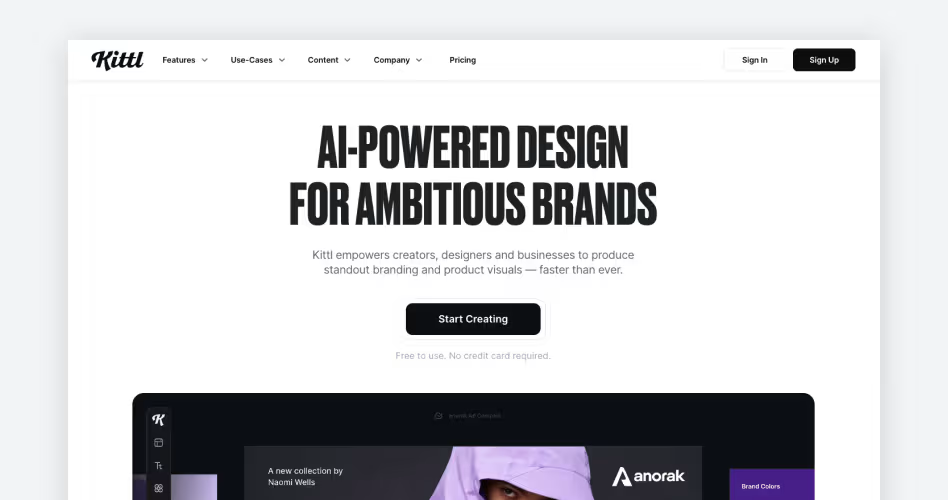
Ideal for: Typography, logos, posters, and merchandise design
Kittl is built for typography-first design. It helps you create logos, posters, packaging, and merchandise by combining AI generation with powerful text editing tools. Instead of starting from scratch, you can generate a concept and customize every detail to match your style.
We tested Kittl with a prompt to create a vintage coffee logo. The typography looked polished, and adjusting fonts, layouts, colors, and text effects was quick and intuitive.
What Can You Do With Kittl?
Kittl helps you create print-ready graphics while keeping every element editable. Some of its most useful features include:
- Generate logos and graphics from text prompts
- Create vintage and modern typography styles
- Apply text effects with one click
- Generate AI illustrations
- Instantly recolor designs
- Export high-resolution files for print and digital use
Pricing
Where It Falls Short
Kittl is focused on branding and print design, not UI or product design. If you're building websites, apps, or design systems, you'll still need tools like Figma or Illustrator. Many advanced templates and AI features also require a paid plan.
8. Framer AI
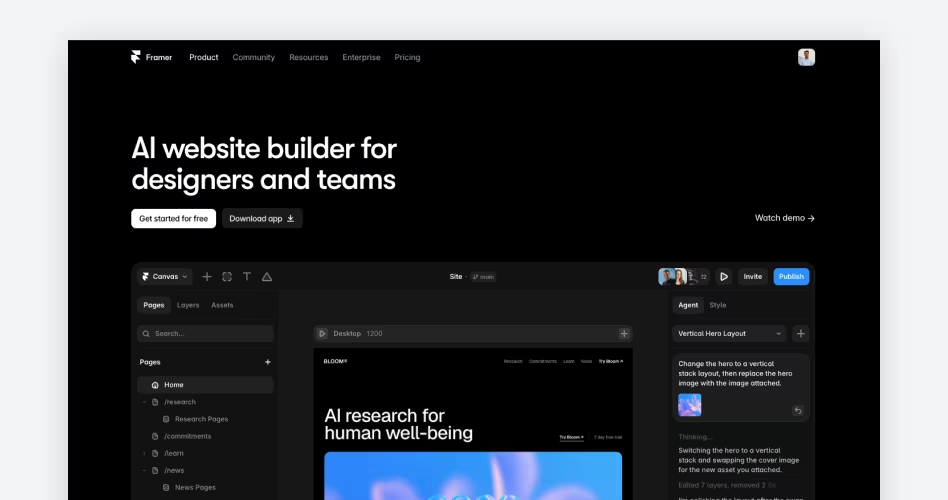
Ideal for: Designing and publishing websites without writing code
Framer AI helps you turn a prompt into a live website in minutes. It generates complete page layouts that you can edit, prototype, and publish from the same platform, eliminating the need to rebuild your design elsewhere.
During our test, Framer created a modern SaaS landing page with a hero section, feature blocks, testimonials, and pricing. The layout needed a few tweaks, but every section remained editable, making it easy to customize before publishing.
What Can You Do With Framer AI?
Framer AI helps you design, edit, and launch responsive websites faster. Some of its most useful features include:
- Generate website layouts from text prompts
- Edit pages with a visual editor
- Publish websites directly from Framer
- Build responsive desktop and mobile layouts
- Add animations and interactions
- Translate websites into multiple languages
Pricing
Where It Falls Short
Framer AI is built for websites, not complex product design. If you're creating large SaaS applications, detailed user flows, or design systems, Figma remains the better choice. AI-generated layouts also benefit from a final design pass to match your brand.
9. Galileo AI

Ideal for: Generating polished UI screens from simple text prompts
Galileo AI helps you turn product ideas into polished UI in seconds. Describe the interface you want, and it generates complete screens with layouts, navigation, and modern design patterns. It's a great starting point for dashboards, mobile apps, landing pages, and SaaS products.
In our test, Galileo created a finance app dashboard with charts, account cards, and navigation from a single prompt. The layout looked polished enough to build on, making it easy to move from an idea to a first draft.
What Can You Do With Galileo AI?
Galileo AI helps you explore UI ideas without starting from a blank canvas. Some of its most useful features include:
- Generate mobile and web UI from text prompts
- Create dashboards, onboarding flows, and landing pages
- Generate multiple design variations
- Export designs for further editing
- Build polished first drafts in seconds
Pricing
Where It Falls Short
Galileo AI is built for ideation, not complete product design. You'll still need tools like Figma to build design systems, manage components, and prepare interfaces for development.
10. v0

Ideal for: Turning UI ideas into production-ready code
Designing a UI is only half the job - someone still has to build it. v0 helps bridge that gap by generating React components from simple text prompts. During our test, it created a responsive pricing page with clean layouts and reusable components that were ready to copy into a project.
Unlike traditional design tools, v0 generates real code instead of static mockups. That makes it a practical choice for designers who prototype with developers and frontend teams looking to speed up UI development.
What Can You Do With v0?
v0 helps you generate, refine, and export frontend UI without starting from scratch.
Some of its most useful features include:
- Generate React components from text prompts
- Build layouts with Tailwind CSS
- Create responsive landing pages and dashboards
- Refine designs with follow-up prompts
- Copy production-ready code into your project
- Speed up frontend prototyping
Pricing
Where It Falls Short
v0 is designed for React and Tailwind CSS projects, so it offers less value if your team uses a different frontend stack. While the generated code is clean and well-structured, you'll still need to add business logic, custom interactions, and application-specific functionality before it's ready for production.
11. Ideogram

Ideal for: Posters, ads, logos, and AI images with readable text
Most AI image generators struggle with text. They often produce misspelled words or unreadable lettering, making them difficult to use for posters, ads, or branding.
Ideogram solves that problem by generating images with clear, readable typography. During our test, it created a promotional coffee poster with clean text and a balanced layout that needed very little editing.
What Can You Do With an Ideogram?
Ideogram combines AI image generation with accurate text rendering, making it a great choice for designs where both visuals and typography matter.
Some of its most useful features include:
- Generate AI images with readable text
- Create posters, ads, and social graphics
- Design logos and branding concepts
- Generate multiple design variations
- Choose different artistic styles
- Download high-resolution images
Pricing
Where It Falls Short
Ideogram is built for image generation, not full design projects. You'll still need another tool to fine-tune layouts, build presentations, or create interactive designs. Longer headlines may also need small manual adjustments.
Need Help Turning AI Designs Into a Real Product?
AI design tools are excellent for brainstorming ideas, creating first drafts, and speeding up repetitive work. But turning those concepts into a product takes thoughtful UX, clean design, and solid development.
That's where Orbix Studio comes in. We help startups, SaaS companies, and growing businesses transform AI-generated concepts into polished digital products that are ready for real users. Whether you're validating a new idea or improving an existing product, our team works closely with you from concept to launch.
We can help you with:
- UI/UX Design
- SaaS Product Design
- MVP Development
Ready to turn your idea into a product? Let's build it together.
Frequently Asked Questions
Which AI design tool is best for creating UI designs?
Figma AI and Galileo AI are two of the best choices for UI design. Figma AI speeds up existing workflows, while Galileo AI quickly generates polished interface concepts from simple text prompts.
Can AI design tools create editable designs?
Yes. Many AI design tools generate fully editable designs. Tools like Figma AI, Galileo AI, Uizard, and Framer let you modify layouts, components, text, and styles after the initial design is created.
What's the difference between Figma AI and Galileo AI?
Figma AI enhances your existing design workflow with AI-powered features inside Figma. Galileo AI focuses on generating complete UI screens from prompts, making it better for fast concept creation.
Which AI design tool is best for website design?
Framer AI is one of the best AI tools for website design. It can generate responsive web pages from text prompts and lets you edit and publish them without writing code.
Which AI tool is best for logos and typography?
Kittl is one of the best AI tools for logo and typography design. It offers advanced text effects, branding templates, and AI-powered graphics that are ideal for print and marketing projects.
Can I use multiple AI design tools in the same project?
Yes. Many designers combine multiple AI tools in one workflow. For example, you might create images in Midjourney, design interfaces in Figma AI, and publish a website with Framer AI.
Are AI-generated designs ready for production?
Not always. AI-generated designs are excellent starting points, but most projects still need manual edits, usability improvements, and brand adjustments before they're ready for production.
Which AI design tool offers the best free plan?
Canva, Figma AI, Framer, Uizard, and Ideogram all offer useful free plans. The best choice depends on whether you're creating graphics, UI designs, websites, or AI-generated images.
The Bottom Line
AI design tools can help you work faster, but the best one depends on your workflow. Some are built for UI design, others focus on websites, branding, marketing graphics, or AI-generated artwork. Choosing the right tool for the job will have a bigger impact than simply choosing the most popular one.
Try a few of the tools on this list and see which ones fit naturally into the way you work. AI is at its best when it handles repetitive tasks, giving you more time to focus on creativity, problem-solving, and designing better experiences.





.svg)
.svg)


.svg)







.avif)



.svg)

