


.svg)

%201%201.svg)
Best AI Logo Generators in 2026: 7 Tools for Creating Professional Business Logos
A professional logo is one of the most important things every business needs. However, not every founder has the time, money, or design skills to make one from scratch.
Luckily, there are now AI logo generators that offer a much more accessible starting point. You just need to give it a short prompt about your business and you get dozens to hundreds of finished logos within seconds, which you can then personalize as you see fit.
The challenge now comes in choosing the right AI logo generator for your needs. After all, the hundred tools in the market don’t necessarily offer the same output, design quality, or editing experience.
Can’t decide which one is worth your time? We tested all the tools in the market and found these seven AI logo generators to be the most worthy to be in your list this 2026:
- Design.com
- BrandCrowd
- Wix
- Canva
- Adobe Express
- Looka
- Fiverr
Let’s see why these tools made the cut below.
The Best AI Logo Generators in 2026 at a Glance
Don’t have time to read the full article? Here’s a quick summary for you of the top AI logo generators in the market right now:
Top AI Logo Generators in 2026
The best AI logo generators in 2026 are Design.com, BrandCrowd, Wix, Canva, Adobe Express, Looka, and Fiverr. Let’s take a deep dive into each tool and see why they made it on our list:
1. Design.com
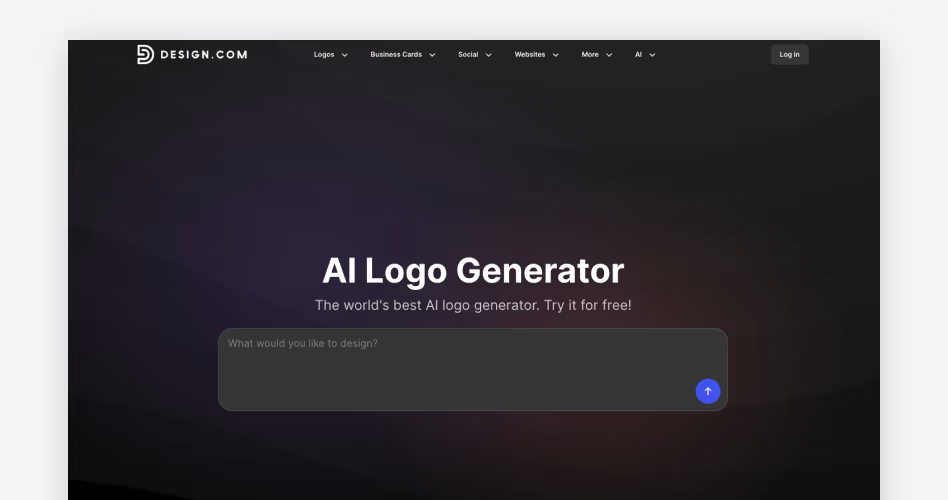
Best for: On-brand, relevant logos
How Design.com works: Users need to enter a short prompt or enter their business name + keywords. The AI will then study that information and produce around a thousand of logo outputs per generation. The output is a mix of logos generated by AI from scratch plus existing logo templates from their library that the AI thinks best match your prompt.
Overview:
Most AI logo makers can glean your industry from your prompt by now. Enter a “bakery logo” for example, and you’ll surely see a lot of rolling pins, croissants, or bagels.
However, industry is just one part of the design. You also need to convey your brand identity as well as have the right vibe for your positioning or target audience.
Design.com’s AI logo generator is particularly good at meeting that nuance. It doesn’t just meet your industry and end there — instead, it looks at your overall request and brand identity to produce more intentional and on-brand logos. This means you can get more specific designs, whether you need a logo for a sugar-free bakery or for one that specializes in Japanese pastries (and not just get stuck with just a generic rolling pin logo).
This makes Design.com extra helpful if you want a logo that best reflects your brand and not just a generic logo that matches your industry.
What stands out:
- The AI considers your overall request like brand name, industry, audience, or brand personality to generate your logo.
- Design.com has one of the largest logo libraries at 500,000+, which means you and the AI have a lot of designs to pull from.
- You get hundreds to thousands of results per generation.
- Logos have properly rendered fonts and graphics, avoiding the misspelled text or distorted elements that plagues most generative AI tools.
- Users can enter prompts in simple and plain language, no need for highly technical or detailed prompts.
- AI chat editing feature is also available, where users can ask AI to do changes such as swap the background color or add more detail to an icon.
- AI is trained to produce copyright-safe logos and edits only.
- AI generated logos are not flattened to one image, meaning you can edit every aspect and every element (like the text or icon) without needing to regenerate the whole design.
What to consider:
- The sheer number of results can be overwhelming, particularly if your prompt is too broad.
Pricing:
- Free logos are available. These logos have no watermark and have no hidden charges. Hi-res logo files are also provided for the free logos.
- Premium logos require subscription before you can download them, which starts at $9/month.
2. BrandCrowd
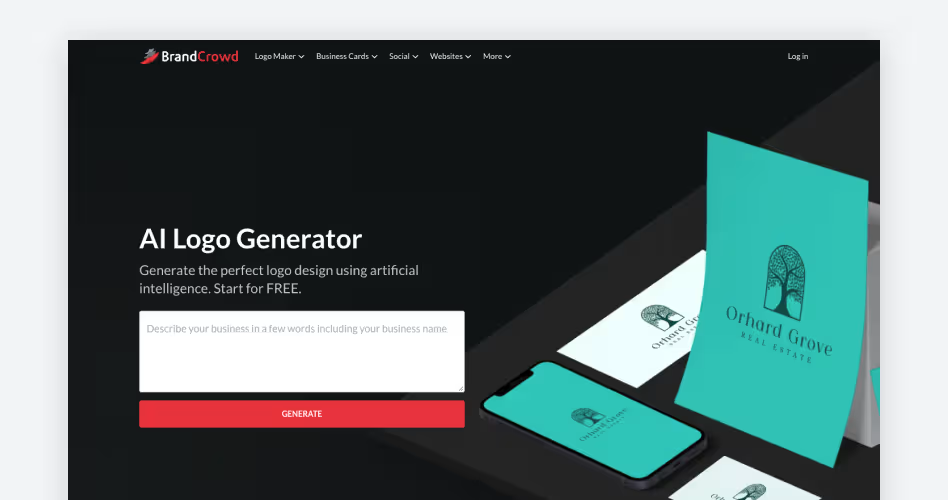
Best for: Creative and distinct logos
How BrandCrowd works: Users need to enter a prompt or a description about their business. You then get hundreds to thousands of logos per generation.
Overview:
BrandCrowd is the best AI logo maker to use if you want more creative logos compared to the usual plain or “template” looking ones.
The platform offers a good design variety, with their library covering every style like minimalist, corporate, cartoony, retro, 3D, Y2K, and more. There are also logos that have more unique layouts and bolder typographic arrangements, so you won’t be limited with the typical “icon next to a text”-style that most logo maker sites offer.
When we tested the tool, we also noticed that their output tends to take more creative liberty with the brief. This doesn’t mean they give irrelevant logos. Rather, they just show you more styles of how a certain concept can go, whether it’s more illustrative, word-based, or mascot-based. It’s not like most sites where you just see the same logo just in different colorways. This makes BrandCrowd a smarter choice when you are looking for more out-of-the-box logos or if you are still undecided on the creative direction of your logo.
What stands out:
- Their logo library covers a wide range of logo types, style, themes, and concepts.
- Over 380,000+ logos in their library, which covers both popular and niche industries.
- Logos are rigorously vetted for originality and copyright before they enter the library, meaning only the highest-quality logos are available to the users.
- The AI doesn't settle for the obvious or generic interpretation of your brief.
- Particularly good at showing different creative interpretations of your prompt.
- Hundreds to thousands of logos per generation.
- Uses a simple drag and drop editor, users just need to click an element to edit or move it.
What to consider:
- Greater creative freedom means you may have a longer time finding what you need, especially if you have a specific request or vision.
Pricing:
- Free logos are available.
- Premium logos can be edited for free but need subscription before you can download them. Paid plans start at $9/month.
3. Wix
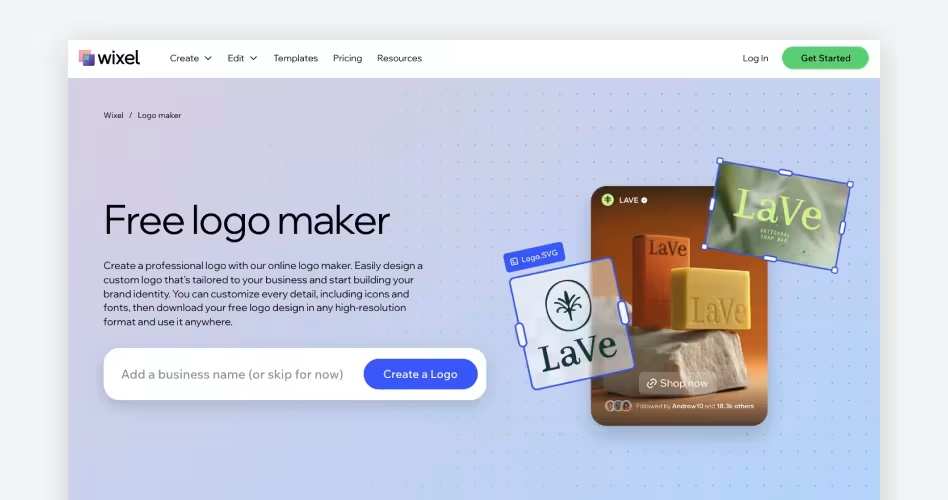
Best for: Beginners who want a guided logo-making process
How Wix works: Wix asks a series of questions about your business, industry, and design preference. The AI then takes your answers and produces four relevant logos after.
Overview:
Wix is one of the easier logo makers to use if you don’t have any idea of what you want your logo to look like.
The AI does most of the heavy lifting of breaking down what you want, which means you get more relevant designs. It also means more specific details or requests are considered by the AI since it is done step by step, instead of the AI just focusing on one word of a prompt.
Wix logos are also solid and generally match the energy of your brief. It’s also particularly strong in popular industries like food and beauty. However for more niche industries or highly specific requests, it can sometimes fall flat and push out more generic results. Still it's a very good option if you want to make the logo making process more manageable and arrive at a solid logo that needs minimal editing.
What stands out:
- The guided questionnaire helps users define their needs one step at a time.
- Results are generally on-brand and can meet more specific details.
- Editor is also beginner-friendly, as each spot that is editable is clearly marked.
- Generated logos are all clean and polished and free from AI artifacts.
- Wix AI logo generator is connected to their website builder, so users who also need a website don’t need to jump into a different platform.
What to consider:
- Wix generates only four logos at a time.
- Wix also takes the longest to generate logos between all the tools in this list.
- Any AI-powered changes (like asking the AI to edit the logo or having AI generate a specific symbol to add to the design) costs credits.
- Logos can be too conventional or safe.
Pricing:
- Wix offers a free logo package, but your logo comes in just one PNG file.
- Paid logo packages add more file formats, AI credits, and commercial usage options. Users have the option between one time logo package or a website bundle.
4. Canva
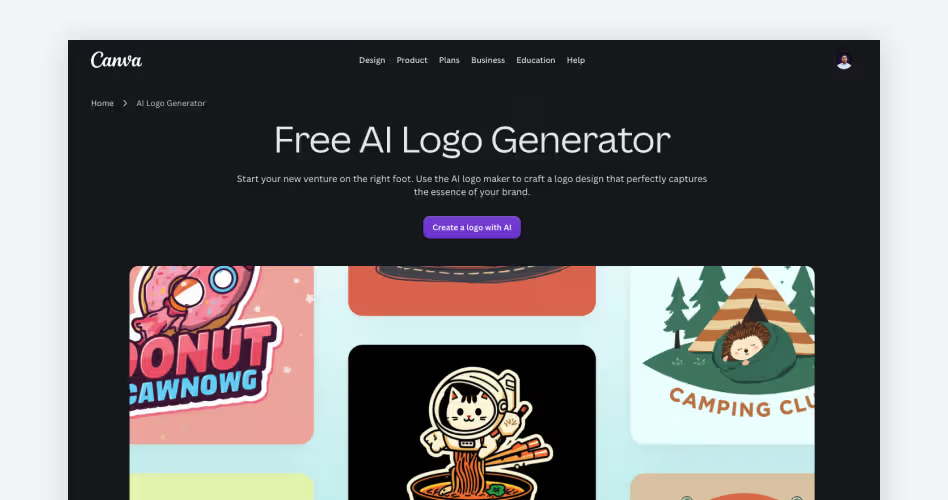
Best for: Simple and easy logo creation
How Canva works: Users enter a prompt about their business. They can also choose a specific style (ex. cinematic, sketch, portrait) and dimensions. You then get around 1 to 4 logos per generation.
Overview:
Canva is another great option if you want a quick and easy way to get a solid, usable logo.
You can talk in plain language and just chat like you're in ChatGPT and Canva’s AI should be able to understand you. No need for technical prompts.
The logos are flattened as a single image, meaning you’ll have to chat again for any edits or changes to the design. You can however still access their manual editor if you want to add elements on top of the design, such as text, frames, or icons.
The results are fairly straightforward. Canva is good at creating logos that meet your industry, however they sometimes struggle conveying the more nuanced details (like say meeting the personality of your brand or showing specific cultural references).
This makes Canva suitable for simpler briefs where you mainly want a decent logo on the page quickly.
What stands out:
- Their AI works with simple conversational prompts and doesn’t require technical design skills or AI knowledge.
- Results are solid and usable.
- Users can choose a visual style and dimensions before generating the logo.
- Easy drag and drop editor that is suitable for beginners.
- Particularly convenient if you are already familiar with Canva and their AI design tools or if you use Canva for materials like social media graphics, presentations, etc.
- Collaboration features allow you to work on your logo design with other people.
What to consider:
- Outputs reflect the general direction of the prompt but can struggle with more nuanced briefs.
- Logos might be too safe or boring for some.
- Sometimes the text on their AI logos has errors and distortions, due to it being AI generated.
- Their AI logos are flattened into one image, so making changes require you to regenerate and thus eat up your AI credits.
Pricing:
- Canva has a free plan that comes with limited free logos, AI credits, editor features, and library assets.
- Canva Pro starts at $18/month.
5. Adobe Express
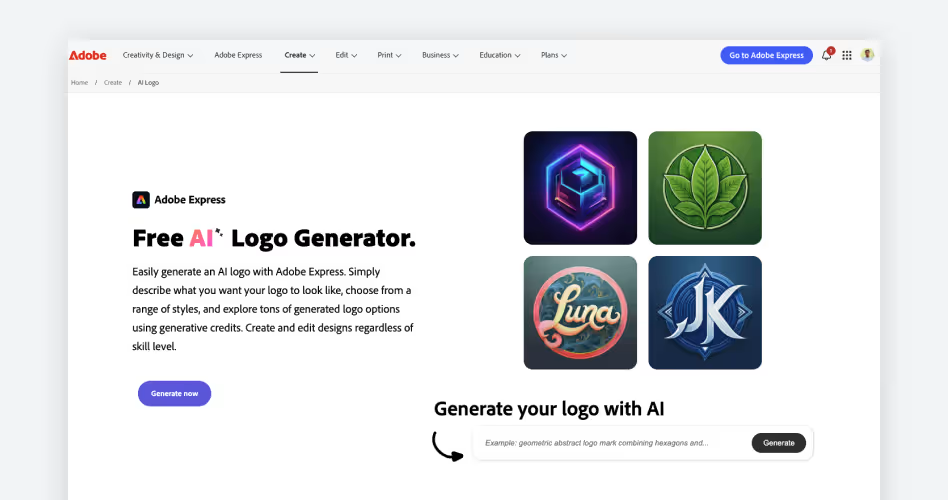
Best for: More control over the AI generation
How Adobe Express works: Users enter their prompt. Users can also set styles, art techniques, or content type. You can also attach a style or composition reference if you have a specific look you’re going for. You’ll then get four logos to choose from.
Overview:
Adobe Express is a good AI logo generator to use if you want to have more influence on the output.
Aside from your written prompt, you can also set specific design style or art technique that you want the AI to create. This is helpful in getting logos that typical AI tools might not think of, or if you have a specific look in mind but just don’t know how to describe them in prompt terms.
The ability to add references is also a helpful addition. This way, you can guide the AI to producing exactly what you need.
We did notice though that if you are using written prompts only, you’ll need to be more specific with your wordings to get great results. A broad request like “cute and whimsical bakery logo” usually ends with bad designs, but being more specific like “pink and white logo with a red velvet cupcake in the middle and cute cat icon on top” yields better results. That can make Adobe Express a little less intuitive for beginners who don’t yet know how to translate an idea into specific visual instructions.
What stands out:
- Users can choose from a large selection of art styles and techniques to influence the results.
- Users can add reference images for the AI to follow, thus producing more accurate results.
- Adobe Express responds well to more specific and technical prompts, which is useful for people with a specific look in mind.
- The tool is great at producing more illustrative and colorful concepts which can be helpful for those in the right industry.
What to consider:
- Adobe Express produces the most AI artifacts: distorted text, randomly placed details, unfinished coloring, and the likes.
- Cleaning up the errors requires you to regenerate the logo, which can eat up credits.
- The tool needs more specific prompts, which beginners may not know how to do.
Pricing:
- Adobe Express has a free plan with limited generative AI credits.
- Adobe Express Premium costs $9.99/month and includes additional generative credits, premium templates and assets, and other editing features.
6. Looka
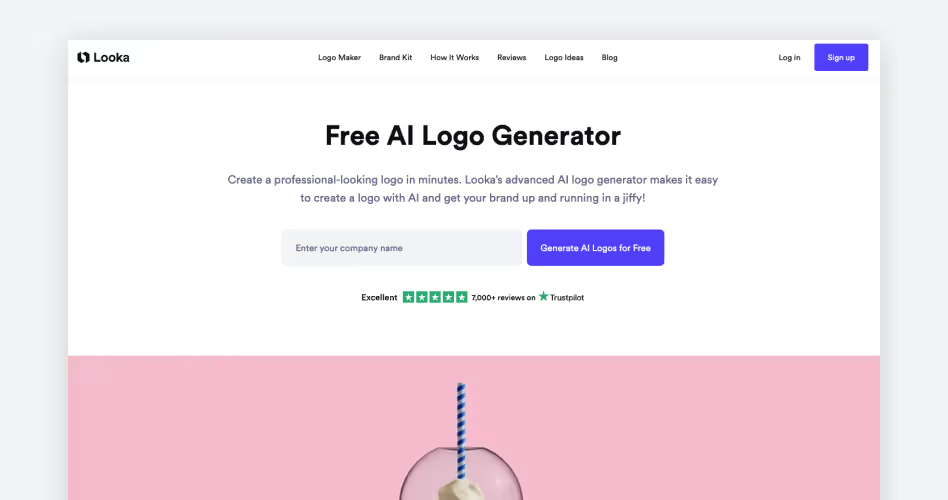
Best for: Users who prefer more visual-based workflows
How Looka works: Users enter their business name and slogan. You then choose from a series of logo samples, colors, and icons that you like. Looka’s AI will then show logos from their library that best match your selections.
Overview:
Not everyone knows how to describe what they want in a prompt.
Looka solves this issue by showing you pictures of logos and symbols that best match what you are looking for, in order to generate suitable logo designs. It’s helpful if you have an idea of what you want but just don’t know how to describe them in design terms.
It’s also helpful if you see a specific icon in Looka that you like. This is because Looka can show you that icon in different arrangements, colors, or text combinations, which should help you easily see how that particular concept will work.
Everything is also visual-based in Looka. For example, the fonts. Instead of clicking each font to see how it will look in your logo, you can scroll down to see pictures of how your logo looks in different fonts already. You don’t need to visualize or imagine anything, or wait for the tool to apply the changes. You just see them immediately, which is great for visual learners.
What stands out:
- The combination of questionnaire and visual matching is useful for users who don’t know how to describe what they want in a concise prompt.
- Everything is shown visually, no need to wait for the tool to apply the changes.
- Good for seeing how one concept can look in different arrangements, layouts, or colors.
- You can change all elements like fonts, icons, or colors even after the generation.
What to consider:
- Logo outputs highly depend on the existing library, so if there is nothing that matches your specific brief the results can be disappointing.
- Multiple variations of the same idea means there is less creative variety in the result.
- Logos tend to be simpler and basic.
Pricing:
- You can generate and edit logos for free. But if you want to download the logo, you’ll need to buy a one-time logo package, which starts at $20.
7. Fiverr
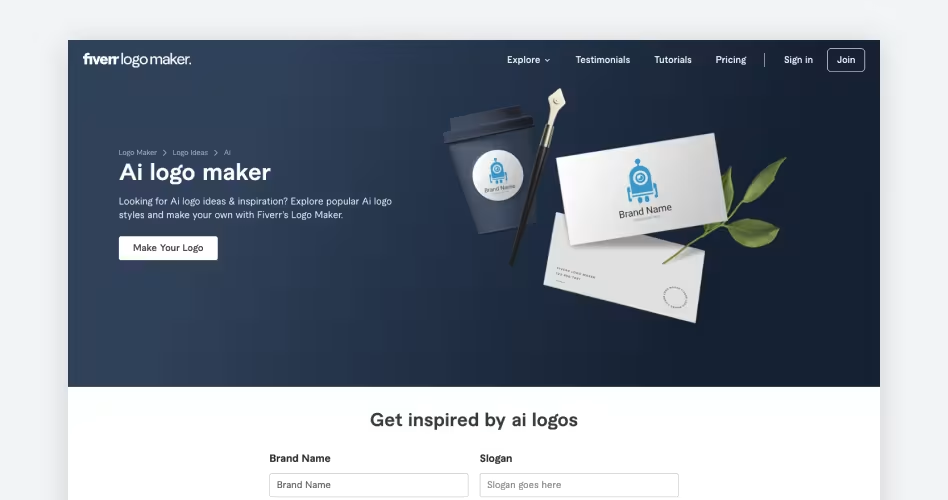
Best for: The speed of AI + access to professional designers later
How Fiverr works: Users answers a questionnaire about their industry and design preferences (ex. whether they want the logo to lean minimal or hand-drawn). The AI then matches your answer with logos from their library. Users can edit the design themselves or ask a designer on the site for help.
Overview:
Fiverr is a good option for those who want the convenience of AI but like the option to bring in a professional designer later.
Fiverr, like Looka, matches your answers with logos created by their designers. The AI is there to narrow down the results and surface more appropriate logos faster compared to you scouring for it yourself.
Editing is simple and straightforward with their drag and drop editor. But if you find it difficult to edit or if you want to add more custom details that seem beyond their editing tool, you can order additional customization from the designer who created the original logo after purchasing it. That’s a useful option that’s not present in most AI tools, and can benefit those who’ll need more hands-on help with their desired design.
What stands out:
- AI matches your preferences to the right logos.
- Logos start from designs made by human designers, meaning no AI artifacts to clean up.
- After purchasing a logo, you can order customization services from the designer who originally created it.
- Fiverr also lets you explore logo designers if you decide you want a fully custom logo instead.
What to consider:
- Logo output will depend on the available logos in their library, so more specific or nuanced briefs might not get the most tailored designs.
- Designer customization incurs additional charges.
Pricing:
- You can generate and customize logos for free. Downloading the logos however requires purchase, which starts at $30.
- Professional designer services are separate and vary depending on the designer and work requested.
Frequently Asked Questions
Can I Use an AI-Generated Logo for My Business?
In most cases yes, but it's still best to check each platform’s terms and licensing before use. Some platforms may have different commercial use terms depending on their tools or paid plans, so it's better to check first.
Can You Trademark an AI-Generated Logo?
You can trademark an AI-generated logo provided that it is distinctive, is actively used to identify your business, and does not look identically similar to an existing trademark. However keep in mind that trademark is different from copyright, and that AI logos are not copyright eligible under our current laws.
What Should I Include in an AI Logo Prompt?
Include your business name and keywords, as well as some details that could further illustrate your business. This could include your target audience, brand identity, or brand personality. Some AI logo generators also yield better results if you place more visual context like specific colors or symbols you want to see.
Final Thoughts
There’s no shortage of AI logo generators in the market this 2026.
However, the right one for you will ultimately depend on what you want out of the design process. Each tool listed above all has different workflows and different strengths so it's best to choose the one that best fits with your needs and can give you the type of output that you are looking for.





.svg)
.svg)


.svg)







.avif)



.svg)

