- What Is the UX Design Process?
- Why Is the UX Design Process Important?
- The 5 Steps of the UX Design Process
- The History Behind the UX Design Process
- How Does the UX Design Process Work in a Real Project?
- Resources to Learn More About the UX Design Process
- What Deliverables Does a UX Designer Create?
- Common Mistakes When Following the UX Design Process
- Frequently Asked Questions
- Final Thoughts


.svg)

%201%201.svg)
UX Design Process Explained: 5 Steps for Beginners
- Start with user research, not interface design. Interviews, observations, and product data help you understand what users struggle with before choosing a solution.
- Define the problem using research findings. A focused problem statement identifies who needs help, what they need, and why - without prescribing a feature too early.
- Test designs by observing users complete real tasks. Watch where they hesitate, make mistakes, or need help instead of relying only on whether they like the interface.
- Treat the five steps—Empathize, Define, Ideate, Prototype, and Test—as an iterative process, not a rigid checklist. Testing may reveal problems that require revisiting research or redefining the problem.
- Connect design decisions to user needs and product goals. The best solution isn't necessarily the most attractive or feature-rich; it helps users complete their tasks while meeting the product's objectives.
Have you ever opened an app to complete a simple task, only to get stuck figuring out where to go next? Maybe the button you need is hard to find, the navigation feels confusing, or a form asks for information you don't understand why it needs. These small frustrations can turn a simple task into a difficult experience.
Good UX design helps prevent these problems. Rather than jumping straight into interface design, UX designers research user needs, define the problem, explore solutions, build prototypes, and test what works. The UX design process gives them a structured way to turn user problems into practical design decisions.
In this guide, we'll explain the five stages of the UX design process, what happens at each stage, and how to apply them to a real project.
What Is the UX Design Process?
The UX design process is a step-by-step approach to understanding user problems, developing possible solutions, and testing whether those solutions work. It helps designers make decisions based on how people actually use a product, rather than assumptions about what users need.
A key part of this process is understanding the problem before deciding how to solve it. A confusing interface, for example, doesn't always need a new layout.
Users might struggle because information is poorly organized, important actions are difficult to find, or the workflow requires unnecessary steps. Each problem calls for a different solution.
That's why UX designers begin by researching users and their experiences. They use what they learn to define the problem, explore different approaches, and create prototypes that can be tested before development. Testing then reveals whether the proposed solution helps users complete their tasks or needs further improvement.
The process is commonly organized into five stages: Empathize, Define, Ideate, Prototype, and Test. Each stage serves a different purpose, but the work isn't always linear. Testing might reveal a problem with the original assumptions, requiring designers to revisit their research or rethink the solution.
Why Is the UX Design Process Important?
Without a clear design process, teams can spend time building features users don't need, fixing the wrong problems, or launching interfaces that are difficult to use. The UX design process helps prevent these issues by connecting design decisions to user research, testing, and product goals.
Following the process helps designers:
- Understand what users actually need: Research reveals users' goals, behaviors, and frustrations before design decisions are made. This helps teams build around real needs rather than assumptions.
- Identify the root cause of problems: A high checkout abandonment rate, for example, doesn't automatically mean the page needs a redesign. Research might reveal unexpected shipping costs or a confusing payment step. Identifying the cause helps teams address the right issue.
- Compare solutions before committing: Exploring multiple ideas helps designers evaluate different ways to solve a problem. They can choose an approach based on user needs, technical constraints, and business priorities instead of settling on the first idea.
- Catch usability issues before development: Testing wireframes and prototypes helps teams identify confusing navigation, unclear labels, and broken task flows before investing in development. Fixing these issues early can reduce rework later.
- Make products easier to use: Usability testing shows whether people can complete tasks without unnecessary confusion or effort. Designers can use these findings to simplify workflows and make important actions easier to find.
- Support business goals through better experiences: When users can complete tasks more easily, products are better positioned to achieve their goals. For example, simplifying checkout can reduce friction for customers and potentially increase completed purchases.
The 5 Steps of the UX Design Process
The UX design process is commonly explained through 5 steps: Empathize, Define, Ideate, Prototype, and Test. Each step helps designers answer a different question, from understanding users' problems to checking whether a proposed solution works.
Some teams split this work into more detailed design process steps, such as writing a brief, planning user flows, and handing designs to developers.
Let's walk through each step, what designers do, and how the decisions they make shape the final user experience.
Step 1: Empathize — Understand Your Users

The first step of the UX design process is to understand the people who will use your product. Before deciding what to change or build, you need to learn what users are trying to accomplish, how they approach their tasks, and where they run into difficulties. Otherwise, you may end up designing around assumptions rather than real problems.
UX designers gather this information through user interviews, direct observation, surveys, support tickets, and existing product analytics. Each method reveals something different.
Interviews help explain users' motivations, observation shows what they actually do, and analytics can reveal where users abandon a task or encounter friction.
The key is to understand the problem from the user's perspective, not to confirm an idea you've already chosen.
For example, imagine a SaaS company notices that many new users leave during onboarding. The team might assume the setup process is too long and decide to remove several steps. But before changing anything, the UX designer interviews new users and observes them completing the setup.
The research reveals that users aren't necessarily frustrated by the number of steps. Instead, they don't understand why the product asks them to connect certain tools, and they're unsure what will happen after granting access.
This finding points to a different solution: clearer explanations and reassurance at the relevant steps, rather than simply shortening the process.
To guide your research, start with four questions:
- Who are the users? Identify the people experiencing the problem and the context in which they use the product.
- What are they trying to achieve? Understand the task they're completing and what success looks like to them.
- Where do they struggle? Look for confusing steps, repeated actions, errors, delays, or workarounds.
- Why might these difficulties occur? Investigate the reasons behind their behavior instead of assuming you already know.
Step 2: Define — Identify the Right Problem
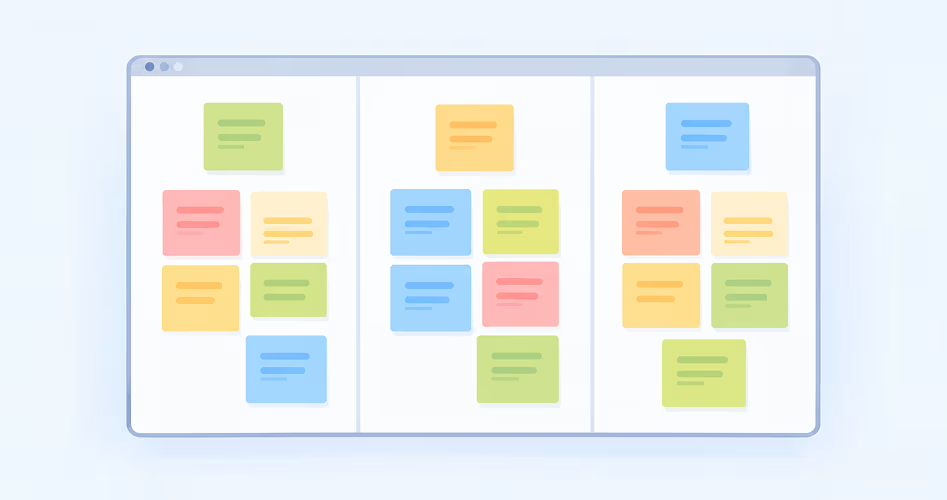
After gathering research, the next step is to make sense of what you've learned. Designers review interview notes, observations, and product data to identify recurring patterns, understand users' unmet needs, and determine which problems deserve attention.
The goal isn't to list every frustration users experience. It's to identify the specific problem that prevents them from achieving their goals. A clear problem definition gives the team a shared direction and helps prevent time being spent on solutions that address the wrong issue.
For example, imagine research reveals that new users struggle during SaaS onboarding. Some abandon setup, while others hesitate when asked to connect external tools.
After observing users and reviewing their feedback, the team discovers that many don't understand why access is needed or what will happen after they grant permission.
The problem isn't necessarily that onboarding takes too many steps. Users lack the information they need to make confident decisions.
The team could frame the problem like this:
New users need clearer explanations when connecting external tools because they don't understand why access is required or what happens next.
Notice what this statement does. It identifies the users, their unmet need, and the reason that need matters without prescribing a particular feature or interface. The team can now explore different solutions during the ideation stage.
To define the problem effectively:
- Identify recurring patterns: Compare research findings to distinguish common problems from isolated experiences.
- Prioritize the most important issue: Consider how frequently the problem occurs, how much it affects users, and how closely it relates to the product's goals.
- Write a focused problem statement: Describe who struggles, what they need, and why the problem matters. Keep proposed solutions out of the statement.
- Align the team: Discuss the findings with relevant stakeholders and agree on the problem to address. Identify what a successful outcome would look like.
Your problem statement doesn't have to be perfect on the first attempt. If further research challenges your assumptions, refine it. The goal is to agree on the right problem before investing time in solving it.
Step 3: Ideate — Explore Possible Solutions

Once the team has defined the problem, the next step is to explore different ways to solve it. During ideation, designers generate ideas, compare approaches, and consider alternatives before committing to a specific solution.
The aim isn't to produce as many ideas as possible, but to avoid settling on the first reasonable answer without exploring other options.
Start with a clear question that keeps the team focused on the problem. A useful technique is How Might We (HMW), which reframes a user problem as an opportunity for design.
For example, if SaaS users hesitate when connecting external tools during onboarding, the team might ask: How might we help new users understand why a connection is needed and feel confident completing setup?
With this question in mind, the team can brainstorm possible solutions. Ideas might include explaining why each permission is needed, showing a preview of what will happen next, offering a guided setup, or letting users skip the connection and complete it later.
Several techniques can help teams explore these possibilities:
- Brainstorming: Generate ideas together, building on suggestions before evaluating them.
- Crazy 8s: Sketch eight possible solutions in eight minutes to explore different approaches quickly.
- Mind mapping: Connect related ideas and break a broad problem into smaller opportunities.
After generating ideas, group similar suggestions and compare the strongest options. Consider how well each addresses the user problem, whether it is technically feasible, and how it fits the product's goals. You can also combine elements from different ideas to create a stronger approach.
For the onboarding example, the team might prioritize clearer permission explanations and a preview of the next step because these directly address users' uncertainty. This doesn't mean the team has finalized the design. It has selected a promising direction to explore in the next stage.
Step 4: Prototype — Turn Ideas Into Testable Designs
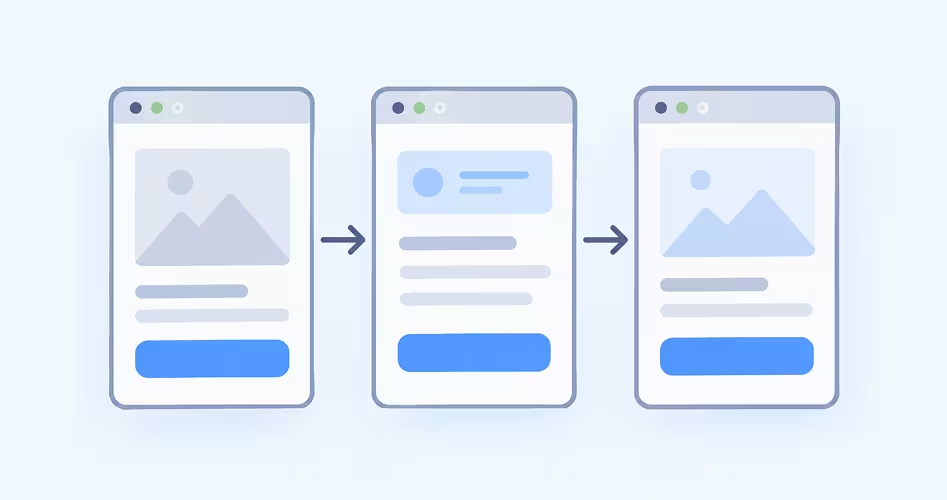
After selecting a promising solution, designers create a prototype to see how it might work in practice. A prototype is an early representation of a product that lets the team examine layouts, interactions, and user flows before investing time in development.
The level of detail depends on what the team needs to learn. Early prototypes help designers explore the structure of an experience, while more detailed versions let users interact with the proposed interface.
For example, imagine the SaaS team from the previous stage decides to explain why onboarding requires users to connect external tools. The designer might first sketch where the explanation should appear, then create wireframes showing the permission request and the next step.
They can connect these screens into a clickable prototype so users can try the flow without connecting a real account or changing the live product.
Tools like Figma make it easier to link screens and simulate interactions, but prototypes don't always need software. Paper sketches can be enough to compare early ideas and decide which direction to explore.
The important thing is to prototype for a specific question, not to make the design look finished. If the team needs to check whether users understand a permission request, it should focus on that screen and its surrounding flow. There's little value in building every feature before validating the part that matters.
Step 5: Test — Find Out What Works

A prototype shows how a proposed solution might work, but it doesn't tell you whether people can use it successfully. Testing helps designers find out by asking representative users to complete realistic tasks and observing what happens.
The goal isn't to prove the design is right. It's to identify what confuses users, where they struggle, and what needs to improve.
Start by defining what you want to learn and choosing tasks that reflect real product use. For example, the team redesigning SaaS onboarding might ask new users to connect an external tool and explain what permissions they're granting. This helps the team assess whether users understand the instructions and feel confident moving forward.
During usability testing, focus on four things:
- Observe behavior: Watch where participants hesitate, click the wrong element, misunderstand a label, or fail to complete a task.
- Ask neutral questions: Use prompts such as “What are you expecting to happen here?” rather than suggesting what participants should do.
- Record specific findings: Note the task, what happened, where the difficulty occurred, and any feedback that helps explain it.
- Look for recurring problems: Compare sessions to identify issues that affect multiple users or prevent important tasks from being completed.
Avoid explaining the interface or guiding participants toward the right answer. If someone gets stuck, that difficulty is useful evidence about the design. You're evaluating the experience, not testing whether participants can figure it out with your help.
After the sessions, review the findings and prioritize problems based on their severity, frequency, and impact on users. In the onboarding example, participants might misunderstand why the product needs access to an external tool.
The team could revise the explanation, make the permissions clearer, and test the updated prototype to see whether users understand it better.
Testing doesn't always end after one round. If the changes introduce new problems or users still struggle, return to the relevant design stage and refine the solution.
The team can move toward development when the design has been evaluated sufficiently for the project's needs, while recognizing that further improvements may emerge after launch.
The History Behind the UX Design Process
The foundations of today’s UX design process took shape as researchers began examining how people interact with technology. In 1986, Donald Norman and Stephen Draper published User Centered System Design: New Perspectives on Human-Computer Interaction.
The book brought together research on designing computer systems around people, their needs, and their experiences. In the same publication, Brenda Laurel’s chapter, “Interface as Mimesis,” used the phrase user experience - an early documented use of the term.
Two years later, Norman published The Psychology of Everyday Things (1988), later retitled The Design of Everyday Things. Using everyday objects, he explained how design choices affect people’s ability to understand and use products. When Norman joined Apple in the early 1990s, he used the title User Experience Architect, helping establish UX as a broader discipline beyond interface usability.
As UX developed, designers needed practical ways to turn user research into better solutions. Stanford University’s Hasso Plattner Institute of Design, known as the d.school, helped popularize a five-stage design-thinking framework: Empathize, Define, Ideate, Prototype, and Test.
Its Design Thinking Bootleg, published in 2018, describes these as flexible modes of working rather than fixed steps. Today, this framework offers beginners a practical starting point for understanding users, defining problems, exploring ideas, and improving designs through testing.
How Does the UX Design Process Work in a Real Project?
Imagine a university wants to improve its website because students struggle to find and download course materials. Rather than redesigning the entire website, the UX team investigates where students get stuck and develops a solution based on what they learn.
1. Empathize — Find out where students struggle. The team interviews students and watches them search for lecture slides, reading lists, and assignments. They discover that materials are spread across different pages, forcing students to switch between sections or ask classmates for links.
2. Define — Pinpoint the problem. The team reviews its findings and identifies the main issue: students have no single, predictable place to find materials for their courses. It frames the design challenge around helping students access the right resources without searching through multiple sections.
3. Ideate — Explore possible solutions. The team considers a central course dashboard, improved navigation, and a dedicated materials page. Based on the research, it chooses to explore a dashboard that groups downloadable resources by course and separates lectures, readings, and assignments.
4. Prototype — Make the solution testable. The designer creates wireframes showing the dashboard and individual course pages. They connect these screens into a clickable prototype, allowing students to try the proposed navigation without the team building the website first.
5. Test — Check whether the solution works. The team asks students to find and download a lecture slide using the prototype. Several students overlook the materials section because its label is unclear. The designer renames it “Course Materials,” makes the link more prominent, and tests the revised version.
Once testing shows that students can complete the task more easily, the team can refine the design with developers and prepare it for implementation. After launch, the university can monitor task completion, download errors, and student feedback to identify further improvements.
Notice how each stage informs the next. The team doesn't choose a solution simply because it looks good; it uses research to guide decisions and testing to check whether those decisions work. If testing reveals a deeper problem, the team can revisit an earlier stage and adjust its approach.
Resources to Learn More About the UX Design Process
Understanding the 5 stages is a starting point. To build your skills, explore how experienced designers conduct research, define problems, test ideas, and apply the process to real projects.
- Stanford d.school Design Thinking Bootleg: Explore practical activities for each stage, from understanding users to testing possible solutions.
- Nielsen Norman Group: Learn research methods, usability testing techniques, and evidence-based UX practices through expert articles.
- Orbix Studio Blog: Practical articles on SaaS UX, product design, usability, and design strategies for building better digital experiences.
- Interaction Design Foundation: Build a stronger foundation in UX design principles, methods, and terminology.
- Digital.gov (formerly Usability.gov): Explore guidance on user research, information architecture, prototyping, and usability evaluation.
- Figma Learn: Practise turning ideas into wireframes, interactive prototypes, and testable interfaces.
What Deliverables Does a UX Designer Create?
UX deliverables are the actual outputs designers create to solve problems and guide development. They might include interview notes, journey maps, wireframes, or interactive prototypes. Each deliverable answers a specific question or helps the team make a decision.
These deliverables connect research to implementation. Research findings help designers identify the problem; user flows and wireframes shape the solution; prototypes make it possible to test interactions before development. Usability findings then show what needs to change. If you hire a UI/UX design agency, ask which of these deliverables are included before the project starts.
Common Mistakes When Following the UX Design Process
Following the UX design process means more than completing five stages. Each stage should help you make better decisions about the product. Here are seven common mistakes beginners should avoid.
- Jumping into UI design too early: Designing screens before researching the problem can lead to attractive interfaces that don't solve users' needs. Interview users, observe their behavior, and define the problem before choosing a layout or visual style.
- Treating assumptions as research findings: Saying “students can't find course materials because the navigation is confusing” is only a hypothesis until you investigate it. Interview students, observe how they navigate the course, and identify where they actually get stuck.
- Defining the problem too broadly: A statement like “the learning platform needs better UX” gives you little direction. Narrow it down to a specific problem, such as “students struggle to distinguish required readings from optional resources.”
- Settling on the first idea: Your first solution might overlook simpler or more effective approaches. Sketch several options, compare their trade-offs, and choose one based on user needs, technical constraints, and project goals.
- Prototyping too much detail too soon: Spending hours polishing a high-fidelity prototype before validating the basic flow wastes effort if the underlying idea doesn't work. Start with simple wireframes, test the main task, and add visual detail as the solution develops.
- Testing opinions instead of usability: Asking “Do you like this design?” won't tell you whether people can use it. Give participants realistic tasks, such as finding and downloading a lecture file, and observe where they hesitate or make mistakes.
- Treating the five stages as a one-way checklist: Completing each stage once doesn't guarantee a successful design. If testing reveals that users still can't find a file, revisit the relevant research, rethink the navigation, and test an improved version.
Have a project in mind?
Frequently Asked Questions
What is the difference between UX research and UX design?
UX research helps you understand users' needs, behaviors, and problems through interviews, observation, surveys, and testing. UX design uses those findings to shape the product experience. Research helps you identify the right problem, while design helps you develop and validate a solution.
What is the difference between the UX design process and design thinking?
Design thinking is a problem-solving approach that helps teams understand people's needs and explore possible solutions. The UX design process applies similar principles to designing digital products and experiences. Both involve research, experimentation, and iteration, but UX design focuses specifically on how people interact with a product.
Who is involved in the UX design process?
A UX project may involve UX designers, researchers, product managers, developers, and business stakeholders. Researchers investigate user needs, designers develop and test solutions, product managers set priorities, and developers implement the design. Smaller projects may involve fewer people, with designers taking on several responsibilities.
What happens after the UX design process is complete?
Once a design has been tested and refined, designers share specifications, prototypes, and interaction details with developers. They work together during implementation to resolve questions and check that the experience matches the design. After launch, the team reviews user feedback and product data to identify further improvements.
Do you need user research for every UX project?
Yes, but the amount and type of research depend on the problem. For a small improvement, existing analytics, support tickets, and customer feedback may provide enough evidence. A new product or unfamiliar user group may require interviews, observation, and usability testing before design decisions can be made confidently.
How do you measure the success of a UX design?
Measure whether users can complete their tasks successfully and whether the experience supports the product's goals. Useful metrics include task completion rate, time on task, error rate, user satisfaction, and conversion rate. Choose metrics that reflect the problem you're trying to solve, rather than tracking every possible measure.
Can you use the UX design process to improve an existing product?
Yes. Start by reviewing user feedback, analytics, and usability problems to identify where the current experience falls short. Then explore improvements, prototype the changes, and test them with users. You can improve a specific workflow or feature without redesigning the entire product.
Final Thoughts
The UX design process gives you a practical way to solve problems before committing to a solution. Start by understanding users, define the problem clearly, explore different ideas, build a prototype, and test whether it works. Use what you learn to improve the design rather than treating the five stages as a checklist.
If you're working on a SaaS product, the challenge is often balancing user needs with complex workflows, business requirements, and technical constraints. Orbix Studio helps SaaS teams turn those requirements into intuitive product experiences.
Book a call with Orbix Studio to discuss your product and explore how a user-centered design approach can help.




.svg)
.svg)


.svg)







.avif)



.svg)

